Count matching records, not every mention
A city field often needs an exact value; a delivery-note field may need substring matching. A row saying Roma three times still contributes one matching cell. Keep the separate occurrence count if total mentions are also needed. Field names help interpretation but do not ensure consistent input, so inspect real examples before deciding the criterion.
Match the complete cell value
For an exact value use =COUNTIF(A2:A100,"Roma"), without asterisks. Roma nord does not match that complete value. Put the criterion in a clearly labeled D2 to use =COUNTIF(A2:A100,D2). Check leading/trailing spaces; if your archive treats them as irrelevant, count a documented normalized copy rather than silently replacing originals.
Search inside longer text
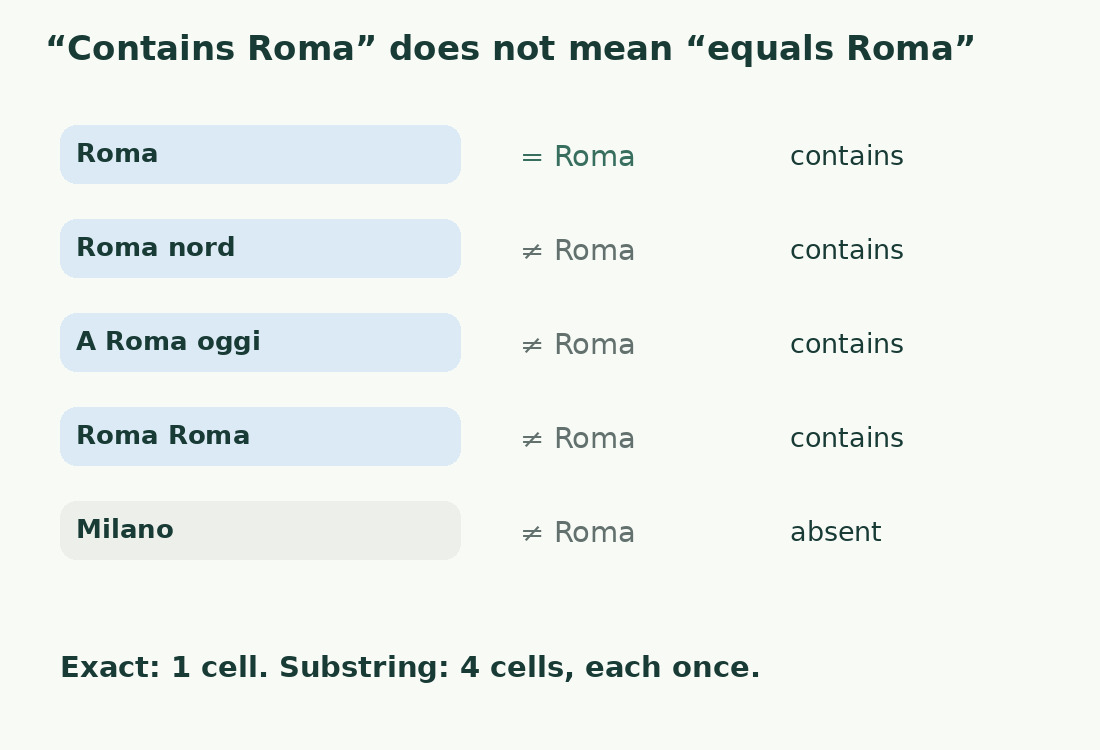
Use =COUNTIF(A2:A100,"*Roma*") for a substring. The cells Roma, Roma nord and A Roma oggi match; Milano does not. Adding Roma Roma increases the cell total by one. A variable criterion is =COUNTIF(A2:A100,"*"&D2&"*"), but check D2 is nonempty and its symbols have the intended meaning.
Escape literal wildcard symbols
Asterisk matches any sequence and question mark one character. Prefix either with a tilde for a literal search: ~* means an actual asterisk. The criterion "*~**" finds a cell containing one anywhere. Test a row with the symbol and one without. Free-entry search fields must say whether wildcards are accepted or escaped; otherwise a code containing a question mark can broaden the search unexpectedly.
Case and word boundaries need separate rules
COUNTIF ignores case, so Roma and ROMA are equivalent for this function. It alone cannot satisfy case-sensitive identifier matching. Substring search also lacks word boundaries. Consider a dedicated structured column when a free note makes the condition ambiguous. Abbreviations and full names need an explicit normalization table; the function does not infer that they refer to the same entity.
Inspect matching rows as well as the total
Inspect which rows match, not just the total: one wrongly included and one wrongly excluded row can cancel numerically. Exclude headings and working notes from the range. Hidden rows still belong to the referenced archive unless the calculation explicitly changes scope. Keep criterion, range, data version and stable record IDs beside the result so a colleague can reproduce the search and edit the correct descriptions.
Nonempty cells are another metric
COUNTA answers whether cells contain information, including errors and formulas returning empty text; it excludes truly empty cells. It is not proof that a readable description exists. Distinguish a blank cell, a formula yielding "" and a spaces-only value. For catalog progress, define completion by usable text and required fields, then count that rule rather than treating technical nonemptiness as editorial readiness.
Exact and substring matching
| Cell | Roma | *Roma* |
|---|---|---|
| Roma | Included | Included |
| Roma nord | Excluded | Included |
| A Roma oggi | Excluded | Included |
| Roma Roma | Excluded | Included once |
| Milano | Excluded | Excluded |
Sources and checks
- Microsoft: COUNTIF · Criteria, wildcard escaping and case-insensitive matches.
- Microsoft: COUNTA · Counts nonempty information, including errors and formula results of empty text.