Choose the unit before the formula
For product descriptions, one unit per space-separated group may suffice. Label the column accordingly. The literal examples rosso/blu and l’acqua each remain one group; the formula does not decide whether a group is a word, code or punctuation. Do not split slashes, apostrophes or hyphens without a requirement. For one passage, the word counter can be quicker; a submission requiring Word still needs Word’s result.
Keep normalization visible
Keep A2 unchanged and put =TRIM(A2) in B2 for ordinary spaces. If the rule equates nonbreaking space 160 with an ordinary space, convert it before trimming, using =TRIM(SUBSTITUTE(A2,UNICHAR(160)," ")). Tabs and line breaks need a separate declared replacement with spaces when they mark boundaries. Deleting a break can merge words. See Excel line breaks. Inspect B rather than hiding every transformation in one formula.
Handle empty text before adding one
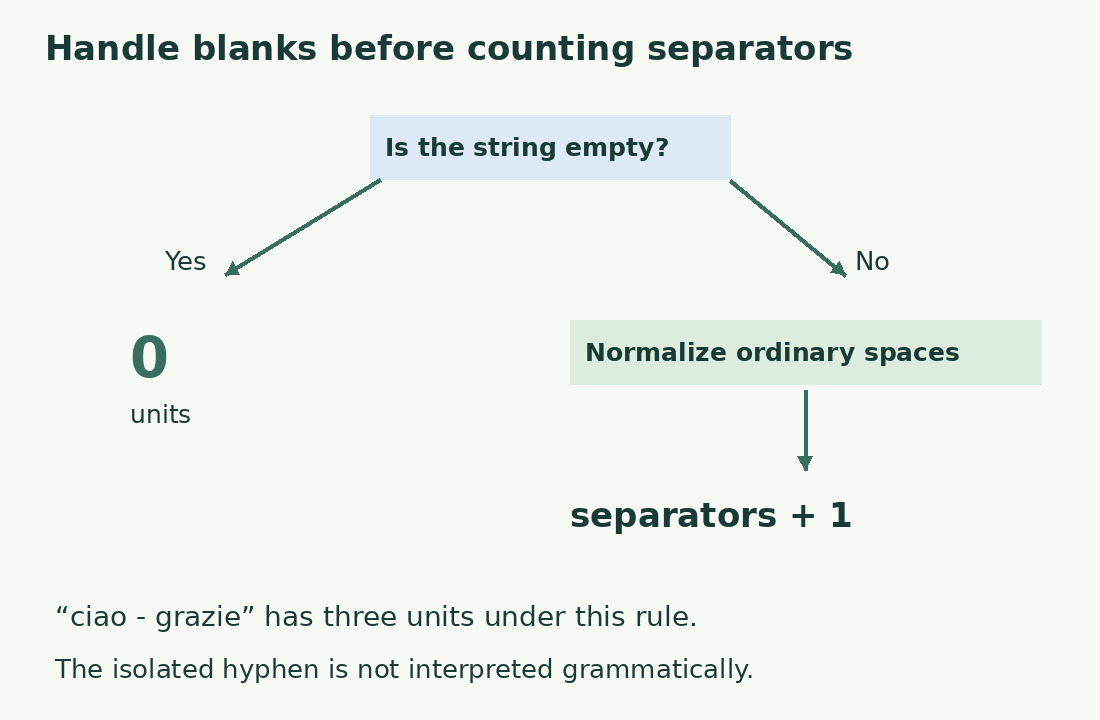
With normalized text in B2, use =IF(LEN(B2)=0,0,LEN(B2)-LEN(SUBSTITUTE(B2," ",""))+1). The length difference counts spaces, then one gives groups. The initial branch returns zero for empty text, including an original containing only ordinary spaces after TRIM. In the literal sample Una prova semplice, two spaces give three groups; Una gives one. Argument separators and function names depend on Excel’s settings.
Test predictable cases before filling down
Prepare a three-group phrase, a single word, an empty cell and repeated outer/internal spaces. Check both normalized text and result. Add a genuine line break and a hyphenated term; write expected results before copying. After filling down, inspect a lower row for drifting or fixed references. Keep the control sample outside totals. These tests check your declared model, without claiming agreement with every editor.
Separate punctuation and errors
ciao - grazie produces three groups, including the isolated hyphen. Excluding it requires an additional tested rule, not subtracting one from every result. Preserve formula errors as unevaluated rows until their cause is resolved; replacing all errors with zero can hide missing descriptions. Codes, dates and URLs need their own interpretation. A code returning one is not necessarily a one-word editorial description.
Sum only the intended records
Sum the count column only for intended data, excluding headings and samples; filtering alone does not redefine an ordinary SUM. Three descriptions with 3, 5 and 4 groups total 12. Joining them with spaces preserves boundaries; concatenating without separators may merge words, so measure the actual delivered string. For a 20-word limit per description, flag each excessive row: a low average or total cannot establish that every row passes.
Revise the writing after counting
Use the threshold to locate text needing attention, then read it. Remove repeated information already in the title or another delivered field before deleting useful conditions. Cutting articles and prepositions indiscriminately can make a short description unnatural. Recount after editing and check that subject, action and restrictions still make sense without opening neighboring columns.
Results under a space-based rule
| Input | After preparation | Units |
|---|---|---|
| Una prova semplice | Una prova semplice | 3 |
| Solo | Solo | 1 |
| Empty cell | Empty string | 0 |
| ciao - grazie | ciao - grazie | 3, including the hyphen |
Sources and checks
- Microsoft: Worksheet counting methods · Different counting functions answer different questions.
- Microsoft: TRIM · Ordinary-space normalization; NBSP is not removed by this function alone.
- Microsoft: SUBSTITUTE · Targeted replacements and optional occurrence selection.