Keep a separate result
Put source text in A2 and =LEN(A2) in B2. English Excel uses LEN; other languages have localized names, so check what your installation accepts instead of changing syntax randomly. This measures characters, not words, visible lines or exported bytes. Column width can hide text without changing its stored value.
A checking sheet should contain identifier, original text and length. Keep them together when sorting so results stay attached to the right descriptions.
Use small samples to reveal spaces
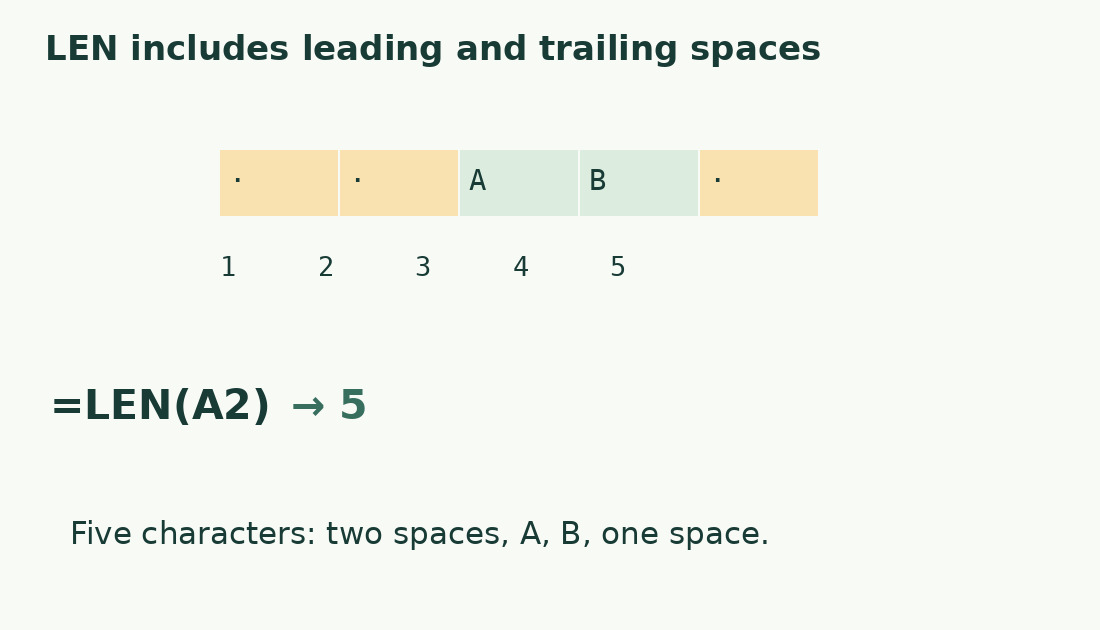
Retain these literal Italian examples: Ciao mare! has 10 characters (four letters, space, four letters, exclamation mark); Roma 7 has six. Spaces are string content. AB , with two leading spaces and one trailing space, has five characters, not two.
Inspect in an editor that reveals spaces or compare a normalized helper column. Preserve the original: blank positions may be structural in fixed-width codes even when unnecessary in a form title.
Copy down carefully
Check the first row, fill down, and verify A2 becomes A3, A4 and so on. Inspect the first two rows and a bottom row for correct references and coverage. Never replace A2 with a formula using A2: that loses the source or creates a circular reference.
LEN measures another formula’s returned text, not the formula code. A formula building a 15-character label is measured by that label’s length. Auditing code length is a different task.
Distinguish empty strings, spaces and errors
A blank text value and a formula returning "" can both have zero length; a space-only cell has positive length. Cell-count functions can treat them differently. The status-bar count of populated cells is not the sum of characters: three populated cells do not imply three characters.
On errors, check source value and references. Keep failures visible in a check column instead of converting everything to zero: zero means no characters; an error means the input was not evaluated correctly.
Separate numeric format from text
Formatting can show leading zeros, separators, symbols or dates without changing the underlying number. For five positions, numeric 42 and text 00042 have different roles. Build an explicit string with TEXT if required; see formatted numbers and leading zeros.
Identifiers may be best stored as text from entry. They are not necessarily quantities to sum, and numeric conversion can lose information.
Know the metric’s boundaries
Ordinary-letter samples are easy to check. Some emoji counts depend on workbook compatibility: Microsoft documents changed surrogate-pair handling. Do not promise one visible symbol always equals one Excel character.
For ranges, see summing characters across cells; excluding spaces requires another explicit rule. Compare a final sample in the character counter using identical content and known treatment of line breaks and emoji. The destination’s requirement determines the relevant result.
When the formula appears literally
If the result shows =LEN(A2), check a leading apostrophe, Text format and Show Formulas. Test a short source and counting formula in two empty cells, then compare the working example with the problem row.
A source error can propagate. Keep evaluation failure distinct from genuine zero-length content, especially when a total must represent a complete set of descriptions.
What LEN measures
| Example value | Characters | Reason |
|---|---|---|
| Ciao mare! | 10 | Letters, space and punctuation |
| Roma 7 | 6 | Digit and space are text |
| Two spaces + AB + one space | 5 | Invisible margins count too |
| Empty string | 0 | No characters in the result |
Sources and checks
- Microsoft: LEN · Text length, spaces and compatibility-specific Unicode behavior.
- Microsoft: Count cell characters · Per-cell lengths and sums across a range.