A value differs from its display
A cell can hold number 42 while displaying zeros, decimals or currency symbols through formatting. Those visible marks are not necessarily stored text. Choose the metric: identifier digits, formatted-text characters or a numeric quantity for calculations. Label them separately. Widening a column cannot resolve this data-model difference, and counting without choosing a representation may lose meaningful leading zeros.
Build the string to measure
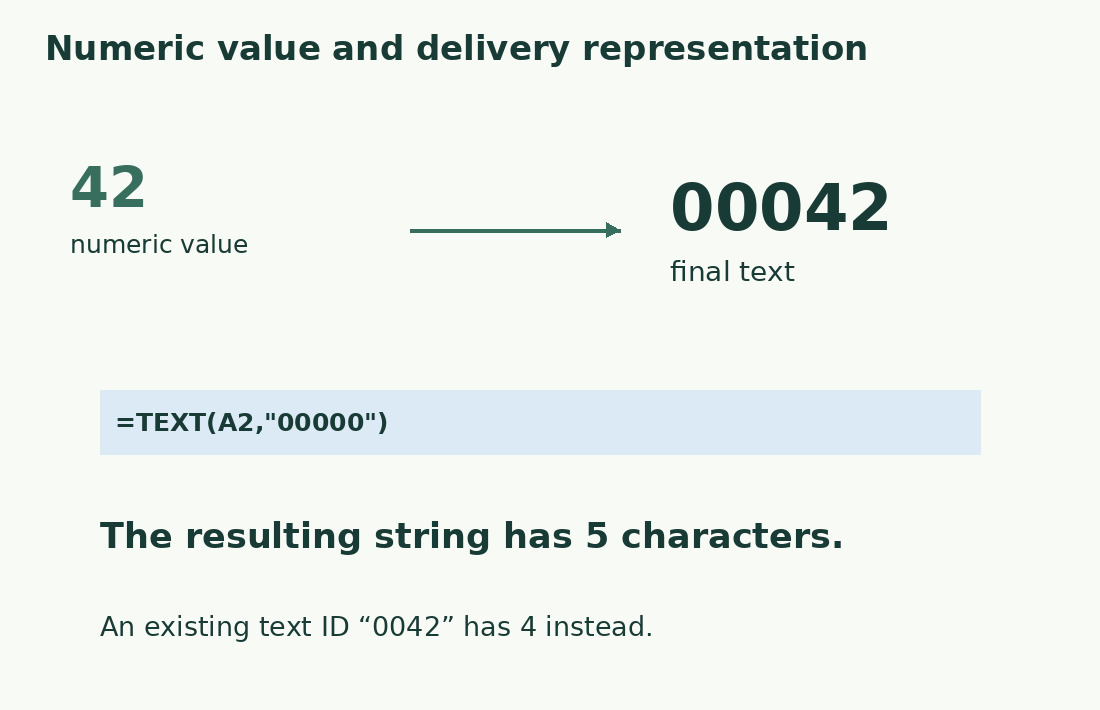
Use =TEXT(A2,"00000") in B2 to represent 42 as 00042; =LEN(B2) returns five. Keep numeric A2 separate from the output string so both are inspectable. A five-zero format is not a complete identifier validator: longer inputs, decimals and negatives need their own acceptance rules. Measure exactly the B column that will be exported.
Store identifiers as text from the start
An identifier 0042 can differ from 42. Prepare the input/import field as text before conversion loses zeros. Changing format afterwards may not reveal the original: numeric 42 cannot tell you whether its source was 42, 042 or 0042. Add zeros only under an explicit fixed-length specification. Retain source values and test zero-leading examples before importing the full list.
Check precision before counting long codes
Microsoft documents 15 digits of numeric precision. An identifier with 16 or more digits should be preserved as text; if already interpreted numerically, later digits may have changed. Its length can still look correct. TEXT formats the value now present and cannot recover lost original digits. Reimport from the trustworthy source with the proper type rather than constructing plausible replacements.
Specify decimal and date formats
Literal strings 12,50 and 12,5 contain five and four characters, although they can describe the same value. Decimal separators, places, currency marks and date order belong to the delivered format. TEXT format codes depend on locale and requirements; verify one actual output against the destination specification. A date’s serial value and its written date string are different measurement objects.
Diagnose cells that look identical
Two cells showing 0042 may be text or number 42 with custom formatting. Do not assume copying between applications transfers identical representations. Test a text code, formatted number, long identifier and negative value in the actual output path. A minus sign can violate a digits-only specification despite passing length. Preserve meaningful internal spaces, prefixes and hyphens instead of applying prose-cleanup rules.
Inspect the actual exported sequence
Check both too-short and too-long outputs when an exact size is required; a maximum alone misses lost zeros. Open an export sample in a way that reveals its real characters without repeating automatic numeric conversion. Compare significant positions with the source. For ordinary prose see Excel LEN; here the decisive step is defining and preserving the representation, not merely obtaining a length.
Choose the representation before counting
| Data | Explicit text | Length |
|---|---|---|
| 42 with five-zero format | 00042 via TEXT | 5 |
| Identifier stored as text | 0042 | 4 |
| Literal decimal text | 12,50 | 5 |
| Same value, one decimal | 12,5 | 4 |
Sources and checks
- Microsoft: TEXT · Turns a value into text under an explicit format; retain the original value.
- Microsoft: Format numbers as text · Long identifiers, leading zeroes and numerical precision.
- Microsoft: LEN · Text length, spaces and compatibility-specific Unicode behavior.