Occurrences and matching cells are different
A cell with five mentions contributes five occurrences but only one matching cell. Name the metric before choosing the formula. Literal substring matching can find “arte” inside a longer string; it does not identify words automatically. For rows containing a term, use COUNTIF and matching cells. Keep “affected rows” separate from “total mentions” when both are needed.
Subtract lengths for one character
The literal Italian sample casa, mare, sole contains two commas. Use =LEN(A2)-LEN(SUBSTITUTE(A2,",","")). Each removed comma reduces length by one; the original A2 stays unchanged. You can show the transformed text in a helper column for inspection. A period here is literal, not a regular expression; SUBSTITUTE does not use COUNTIF’s wildcard interpretation.
Divide by the complete target length
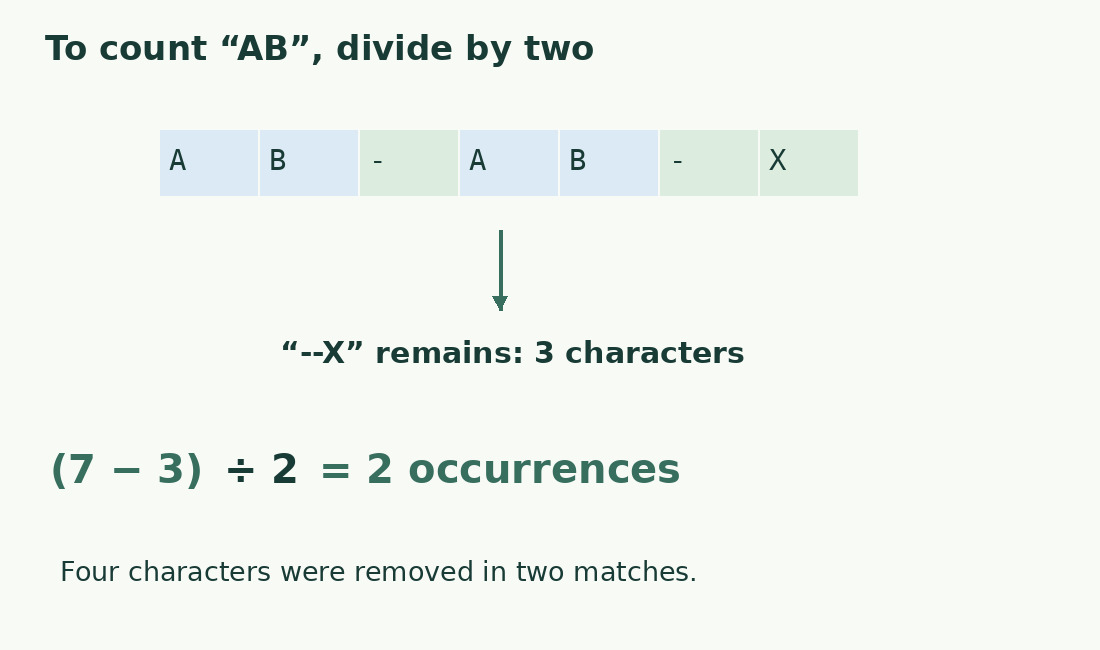
For AB-AB-X, removing AB loses four characters, representing two matches. Put the target in D2 and use =(LEN(A2)-LEN(SUBSTITUTE(A2,D2,"")))/LEN(D2) only after checking D2 is nonempty. An empty target is not a meaningful search and creates division by zero. Display an input request instead. When filling down, keep a shared target fixed with $D$2 while the source row advances.
Set an explicit case rule
SUBSTITUTE distinguishes case. Searching a in aAa finds two; converting both source and target consistently to lowercase gives three. Normalize an analysis copy rather than altering case-sensitive codes. The case converter helps with ordinary text, but a technical archive needs a documented comparison rule. Keep both sample results to show colleagues why the totals differ.
Understand nonoverlapping matching
In aaaa, aa starts in three positions if overlaps are allowed; replacement removes two nonoverlapping matches, so the formula returns two. This matters for repetitive codes. Matching mare also finds that sequence in marea. Adding spaces around a target does not cover punctuation and cell boundaries reliably. Where whole words matter, define tokenization rather than accumulating manual corrections.
Audit rows before adding results
Use a helper result per row and sum only the intended range, retaining stable IDs. Two commas may separate three entries, but an internal comma or trailing separator changes that structural interpretation. Counting the character alone does not parse the format. Keep controls with zero, one and several matches plus an empty row. Distinguish no matches from a formula or source error that prevented evaluation.
Investigate fractions and unexpected totals
A complete-match length difference should be a multiple of the exact target length. A fraction suggests a wrong divisor, changed reference or extra space in only one expression; investigate instead of rounding. Confirm the fourth SUBSTITUTE argument is not restricting replacement to one occurrence. For composed Unicode text, use consistent compatibility settings and units; see emoji and Excel LEN.
Length differences and matches
| Text | Target | Occurrences |
|---|---|---|
| casa, mare, sole | , | 2 |
| AB-AB-X | AB | 2 after dividing by 2 |
| aAa | a | 2, case-sensitive |
| aaaa | aa | 2, nonoverlapping |
Sources and checks
- Microsoft: SUBSTITUTE · Targeted replacements and optional occurrence selection.
- Microsoft: LEN · Text length, spaces and compatibility-specific Unicode behavior.