Choose the editorial state
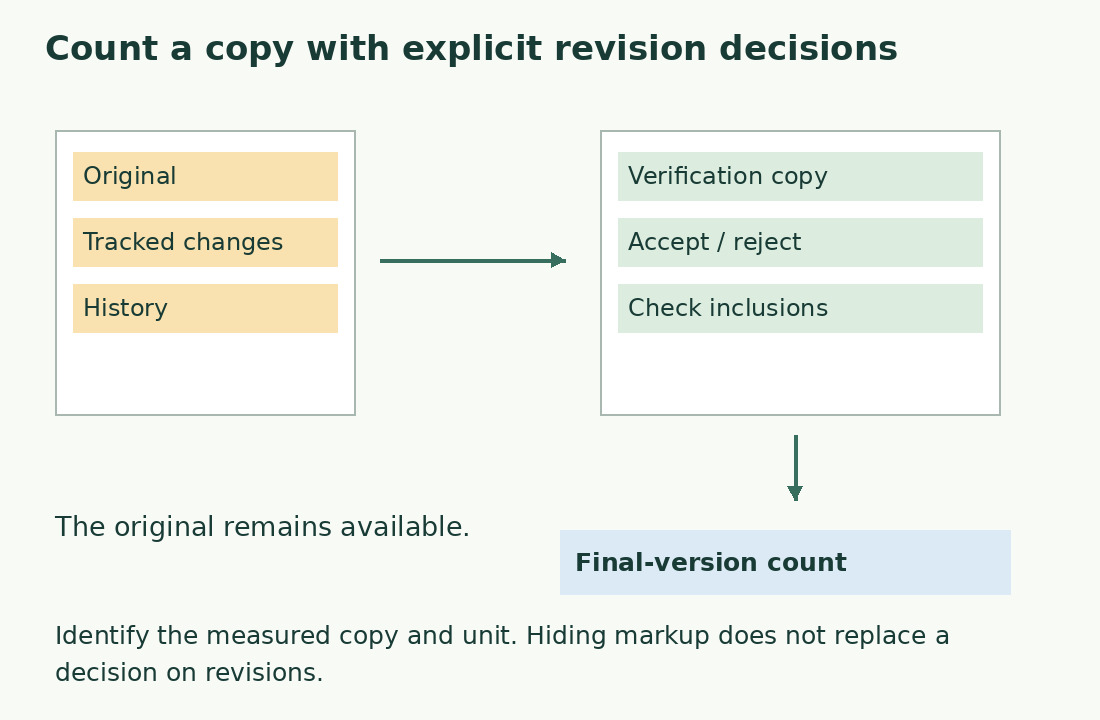
With pending insertions and deletions, length may mean previous text, current proposal or approved version. Identify which you are measuring. Do not accept every change merely to obtain a figure; preserve the collaborative file and name the counting copy clearly.
If approval is pending, compare hypothetical scenarios with explicit labels. Microsoft distinguishes displaying changes from accepting or rejecting them: a visually clean page does not establish an approved final text.
Apply decisions while preserving history
Identify who decides on changes. Apply approved decisions in the counting copy; otherwise call the figure provisional, such as “scenario with all proposals accepted”, only if that is what you did.
Review changed passages afterwards. Accepting a deletion removes the proposed text; rejecting it retains it. The count cannot detect mistaken editorial intent. Then record the correct unit and treatment of notes and boxes: revision state and scope are separate controls.
Use arithmetic to diagnose
A starting 1,000 words minus an approved 70-word deletion plus a 40-word addition yields 970. This checks stated quantities, not every Word display mode. If your prepared copy still reads 1,000, check unapplied decisions or a stale value. At 1,040, the deletion may have been retained. Confirm hypotheses in the text.
Keep a ledger of starting version, removed and added blocks, exclusions and measured version. It reveals omissions but cannot replace a final recount when blocks change during editing.
Inspect filters and comments
A filter can show only particular reviewers or change types. “Changes shown” and “all changes” are not automatically interchangeable. Check filters and the revision summary before declaring the copy resolved.
Comments require separate decisions: resolving an edit does not remove every discussion, and a suggested sentence may never have entered the body. Measure actual delivery text, not scattered proposals. Use a fixed saved copy when collaborators are still editing.
Compare content before software
Establish how a DOCX importer handles inserted and deleted text. Its extraction rule does not define the agreed editorial state. Compare approved plain text in the word counter, retaining required notes and explicit exclusions.
For an import report, create a minimal file with one inserted and one deleted sentence using invented content. Record expected result and rule rather than sharing a whole confidential contract or thesis.
Deliver the figure with its status
A clear statement is “970 words, approved copy with revisions resolved, notes excluded”. If history is required too, distinguish both files’ roles in their names. Check the last approved sentence and updated boxes; recount after later heading or caption changes.
A typed cover total does not update. Consider NumWords for an updatable statistic; updating a field does not certify revision approval.
Put editorial decisions before numbers
Do not approve a change solely to meet the limit. If 30 words must go, deleting a 50-word example may solve length while removing the only explanation of a difficult step. Evaluate substance first, then cut repetition and recount.
Specify that agreed decisions were applied to the counting copy. Preserve original proposals and a reference to the approved version, so an experimental total cannot be mistaken for authorization of pending changes.
From collaborative file to delivery count
| Step | Keep | Check |
|---|---|---|
| 1. Duplicate | Original with history | Collaborative file stays available |
| 2. Apply decisions | Counting copy | Acceptance/rejection follows agreement |
| 3. Define scope | Inclusion list | Notes and boxes treated explicitly |
| 4. Count | Final result | Unit and version accompany the number |
Sources and checks
- Microsoft: Track Changes · Displaying changes is distinct from resolving them.
- Microsoft: Accept or reject changes · Accepting and rejecting tracked revisions.