Find the statistic you need
The bottom bar offers a quick word count; open its details for characters with and without spaces. Font, margins and line spacing affect pages, not character totals. Distinguish a maximum of 2,500 characters including spaces from 500 words. If the requirement is ambiguous about spaces, establish the rule before editing.
Open the actual delivery file. Check its name, synchronized version and any highlighted text: a precise figure for an older download is still the wrong delivery count.
Check the metrics available on mobile
Microsoft lists word count on Android and iOS and confirms it for iPhone. That does not prove every mobile panel reproduces all desktop statistics and options. Read the actual metrics. If characters are unavailable, open the same updated file in an environment that shows them; do not estimate from average word length. On small screens, inspect both selection endpoints.
Verify a small example
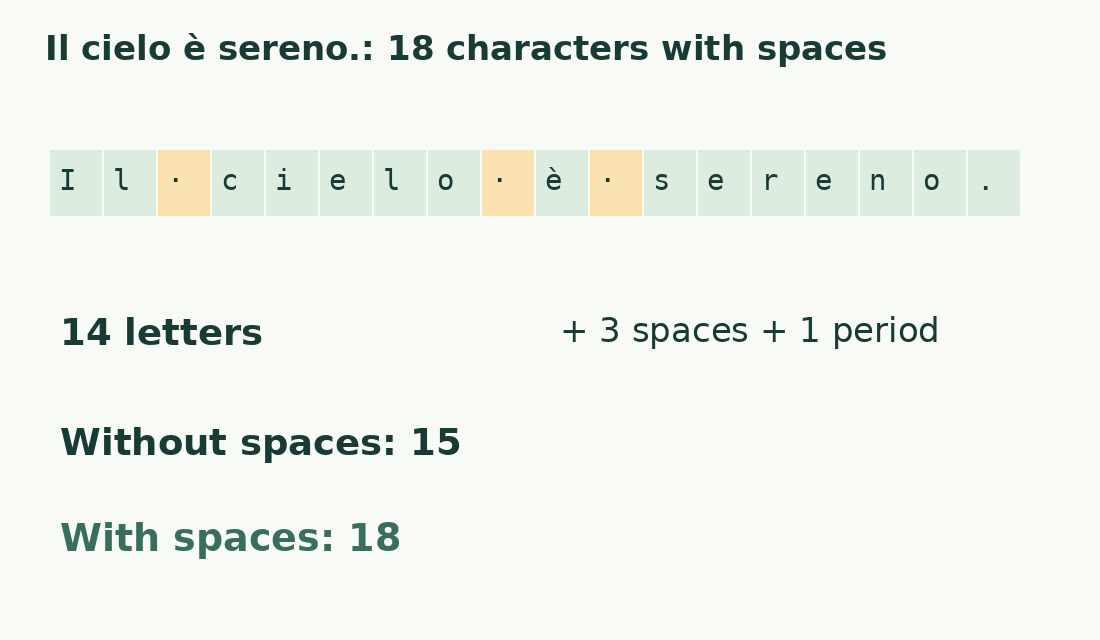
Keep this literal Italian sample: Il testo è pronto.. It has four space-separated words, 14 letters, three spaces and one period: 18 characters including spaces, 15 excluding spaces. Punctuation remains when spaces are excluded.
Type it into a blank file. Unexpected results call for checking leading/trailing spaces and copied invisible characters. This tests unit and selection, not universal agreement on composed emoji or separate file elements. Compare plain text in the character counter after reading its criteria.
Measure the whole file or a selected chapter
Clear highlighting for the whole document. For an abstract or response, select exactly the passage and include the title only if required. A repeatable chapter boundary can run from its heading to just before the next heading; use the same rule for all chapters.
Do not add the selection to the whole-file total: they overlap. Label partial values, for example “chapter words”, so they cannot be mistaken for document totals.
Define which elements belong
A requirement may exclude references but include quotations, or cover a complete manuscript. Word cannot interpret those rules. Check the options actually available for notes, text boxes and separate elements; consult the notes and text-box inventory.
Select the required block or work on a copy instead of deleting from the master. Record a scope such as “main text and headings, references excluded” alongside the number.
Investigate differences between counters
Compare text and scope before methods. A DOCX importer may omit notes or headers; pasting can lose a break or add a label. Reduce disagreement to a short sample and remove unusual elements one at a time on a copy. Preserve a nonconfidential reproducer.
Do not add meaningless spaces to force agreement. If the recipient requires Word, use that method and identify the version if needed; otherwise agree the counting rule.
Record the final version and allowance
After the last edit record total, unit, scope and file version. At 2,470 of 2,500 characters, 30 characters remain, not 30 words. A subsequent title edit can consume the allowance.
For Italian publishing “cartelle”, divide the required characters by the agreed unit: 18,000 / 1,800 = 10; 18,000 / 2,000 = 9. Use the cartelle calculator. Save the measured file: yesterday’s email count does not update. For a statistic inside the document, see NumWords.
When the command or expected result is missing
In Word for the web, editing view may be necessary to display word count. Check the mode first. If you need characters, open detailed statistics instead of reading words. In a narrow or different interface, search your version’s help by command name.
A lingering selection can explain a surprisingly small total. If the panel concerns another file, return to the intended document and reopen it before considering reinstallation.
One sample, three units
| Element of “Il testo è pronto.” | Quantity | Included with spaces? |
|---|---|---|
| Letters | 14 | Yes |
| Ordinary spaces | 3 | Yes |
| Final period | 1 | Yes |
| Total characters | 18 | |
| Characters without spaces | 15 |
Sources and checks
- Microsoft: Word count and selections · Document and partial-selection statistics.
- Microsoft: Word for iPhone features · Feature availability, including word count.
- Microsoft: Word mobile features · Word-count availability on listed mobile platforms.