Define the assignment first
A document can contain body text, notes, tables, quotations, boxes and headers. Read delivery requirements and list included and excluded parts, for example “body, headings and captions included; notes and bibliography excluded”. If “text” is ambiguous, clarify with the recipient instead of inferring a universal rule.
For a fee estimate, omitting a box understates the work; adding an already counted box inflates it. Technical statistics do not decide contractual scope.
Inspect your version’s options
Read the actual statistics labels. If additional text can be included, establish which elements the option names; “notes” does not automatically include comments, headers or words in images. Record version, visible setting and result rather than asserting a default for everyone.
Microsoft’s ComputeStatistics documentation explicitly distinguishes counting with and without footnotes/endnotes using IncludeFootnotesAndEndnotes. No programming is needed to apply the principle: different scopes need not produce the same total.
Keep quantities separate
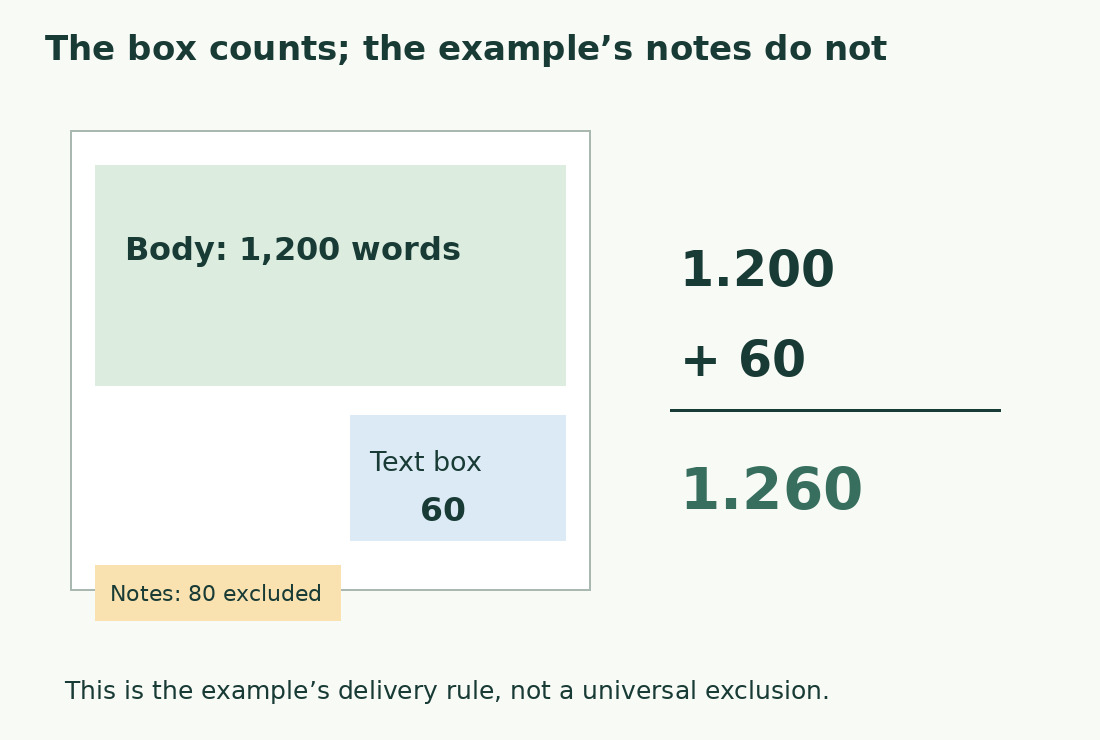
An illustrative 1,200-word body, two 40-word notes and a 60-word box total 1,340 if everything is required, or 1,260 without notes. The 80-word difference follows the rule, not counting quality. These are arithmetic examples, not measured Word results.
Use invented blocks for a reproducible test. Give each part one ledger row and indicate whether it already belongs to the main total. The “to add” column must be zero when it does.
Isolate content safely
Select a note for a partial count where supported, or copy it to a temporary document or the word counter. Check reference numbers, extra headings and working labels have not entered the sample. Preserve the original: deleting notes can change linked numbering and references.
If a box repeats an introduction, establish whether both occurrences require work or inclusion. Duplication alone determines neither billing nor a length limit.
Do not equate comments or images with notes
A reviewer comment differs from a note for readers. Check final-text instructions rather than treating all margin objects alike. For required words in an image, prepare an identified, checked transcription: OCR can alter letters, digits and spaces.
For DOCX import into ContatoreCaratteri.com, read the extraction message. Body and notes may be handled separately. Compare with Word only at matching scope; do not presume undeclared support for complex documents.
Present number and scope together
A useful statement is “1,260 words, body and box included, notes excluded, final copy”. For characters, specify spaces; never convert words using a fixed multiplier when an exact count is required.
For Italian publishing “cartelle”, 25,200 characters equal 14 units of 1,800 or 12.6 of 2,000. Division does not define which notes were included. Recount after changes and share a minimal sample and rule if disagreement persists.
Recheck relocated or converted elements
Moving an excluded note into an included paragraph changes the scope even without changing wording. Record initial location, final location and decision, such as “Note 4, now concluding paragraph, included”. Apply the same care to a caption converted to a box or a box copied as an image.
Before delivery, give every required text block a ledger entry. If extraction is unreliable, mark it for verification rather than presenting an unchecked total as complete.
Inventory without duplicates
| Part | Example words | Required? |
|---|---|---|
| Body | 1,200 | Yes |
| Two notes | 80 | No |
| Box | 60 | Yes |
| Required total | 1,260 | Body + box |
Sources and checks
- Microsoft: ComputeStatistics · API option for footnotes and endnotes; not a statement of interface defaults.
- Microsoft: Word count and selections · Document and partial-selection statistics.