Start with a paragraph
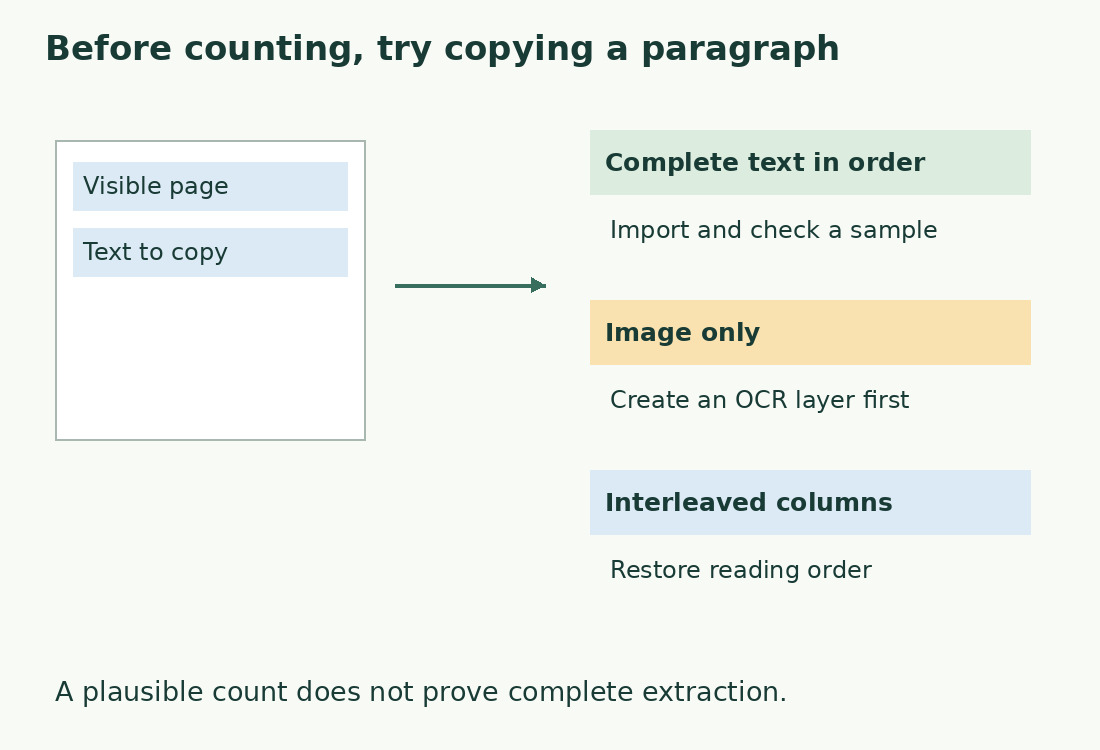
Try selecting a sentence inside the PDF page rather than the whole image’s edge. Paste into plain text: legible letters in the right order are encouraging. Repeat on another page because digital pages and scans can coexist. A selectable cover does not establish that a middle chapter is readable.
Inspect the text before its total. Joined words, replacement symbols and interleaved columns need extraction changes. Trying multiple counters alone cannot establish completeness. Preserve the original and record the measured version. If the source document survives, counting that and checking final PDF delivery may be simpler.
Import and check the boundaries
Choose Import file in the word counter and select the PDF. Processing runs in your browser. This version reads existing text without OCR, with limits of 10 MB, 200 pages and the text the editor can handle. A size warning does not imply corruption; divide into nonoverlapping ranges if necessary.
Find the beginning of intended content and its final sentence. A blank final page is harmless; a truncated sentence is not. Check a middle passage and table page too. PDF.js extraction does not replace human layout review. Our PDF notice asks you to inspect order, spaces and words at line endings.
Define inclusions
Determine which words the assignment requires: a report may include headings and captions but exclude title page, contents and bibliography; translation may include notes and tables. Instructions define scope, not file format.
A four-word header extracted on twenty pages adds eighty words. That follows an inclusion choice rather than an arithmetic error. The same applies to page numbers and footers. Remove agreed material from a copy and check page by page. Do not delete every repeated line: repeated body sentences may be intentional.
Check a verifiable sample
Compare a short paragraph without notes or columns against its imported version. The literal Italian test string Ciao mondo! has two words and eleven characters including its space. This tests received-text counting rather than every PDF’s extractability.
A fifty- or hundred-word real sample is more informative. Record hyphenated fragments, missing spaces and headings inserted mid-sentence. Recurring problems may need another source export; correct isolated cases only against the original. Retain measured text and extraction criteria so the count can be reconstructed.
Explain differences from the source
PDF pages may contain positioned fragments rather than ready-made paragraphs. Extraction infers order and separators, so attractive layout can yield unexpected spaces and newlines.
Look first for missing notes, boxes, headers or repeated content, then apostrophes, hyphens, numbers and line breaks. ContatoreCaratteri excludes newlines from character totals while using them to separate words and lines. See How we count. A submission requiring a particular program’s figure must use that method even when our total is plausible.
Scans, columns and protected files
Zero words or a few lines need not mean an empty PDF. It may be scanned, have partial OCR or restrict text access. See PDFs needing OCR. Obtain an authorized readable protected-file copy; renaming the extension does not help.
Read down the first column before the second, and keep table labels paired with values. Mixed sentences can retain the same total while making frequencies and readability misleading. See multicolumn PDF extraction for order checks.
Record a usable result
Record filename, pages, exclusions and count date. Briefly note repaired hyphenation and removed headers. The recipient need not receive every technical detail, but you should explain how the result corresponds to the required content.
Download the report after final edits. For Italian publishing units called cartelle, use characters including spaces and the agreed unit size in the cartelle calculator. Do not convert PDF pages directly: margins, images and font size vary. Sum nonoverlapping sections only; duplicated pages distort totals just like omissions.
Keep a report that can be checked
Distinguish the file and counted copy, for example “pages 3–12; body and captions included; page numbers excluded”. Record two attachment counts separately as well as their sum to trace disagreements.
A report contains results; Save text produces the text copy. Do not automatically send full text when a number suffices. Keeping it privately supports verification, while sharing needs a deliberate choice, especially with client data, confidential drafts or personal information.
Check PDF type before its total
| Test | Observation | Next step |
|---|---|---|
| Copy a paragraph | Complete text in order | Import and inspect a sample |
| Select only an image | No extractable text | Create an OCR layer |
| Copy two columns | Interleaved sentences | Restore reading order |
| Find repeated headers | Administrative text on each page | Decide inclusions |
Sources and checks
- PDF.js: PDFPageProxy and getTextContent · Extracting existing page text; text extraction is distinct from OCR
- Adobe: Recognize text in scanned PDFs · Creating searchable text with OCR and choosing language and page ranges