Visible text may not be extractable
A scan and an editor-generated page can look identical while the scan’s letters exist only inside an image. A text counter does not automatically recognize those shapes. Inspect the text layer rather than apparent sharpness.
Search for an uncommon body word and copy a sentence. A failed search can reflect recognition errors rather than a wholly scanned file. A selectable heading does not verify all pages. Inspect beginning, middle and end, plus rotated or poorer pages, avoiding both unnecessary OCR and overlooked unreadable sections.
What recognition changes
OCR attempts to convert letter images into characters. Adobe documents searchable text creation with recognition-language and page-range choices. Afterwards, previously image-only content may become searchable and copyable.
Good-looking pages do not guarantee correct transcription. Shadows, skew and marks can confuse recognition; the original scan can remain overlaid with faulty text. Inspect copied content. Preserve the original and save recognized output under another name to trace corrections.
Choose revealing samples
Include accents, numbers, proper names and paragraph changes, plus notes or captions where present. Test elements important to actual delivery rather than only short clear words or artificially difficult cases.
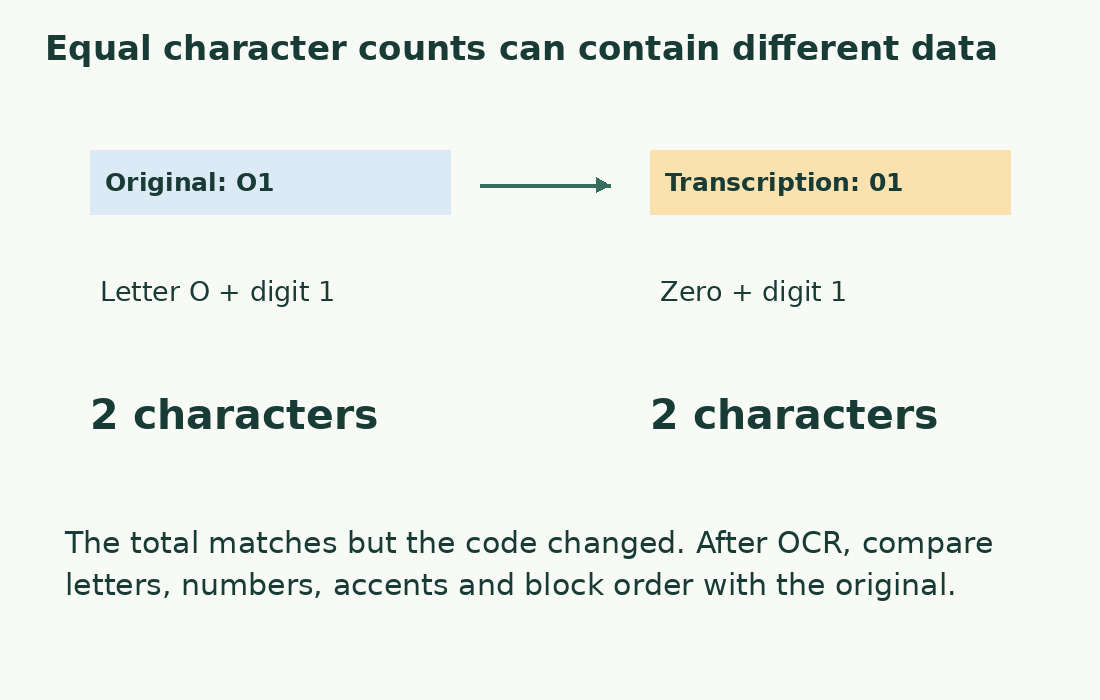
Use columns for visible text, copied text and correction. Letter O versus digit 0 matters in invoices and minutes; literary punctuation matters too. Compare unusual forms with the scan rather than guessing. Recognition should not become an unintended rewrite.
Errors affecting counts
Inserted spaces split words; missing ones merge them. Both change counts in nearly readable text. Line-end hyphens can remain; lost accents may preserve words while altering characters or meaning.
Check headings, notes and page numbers. Repeated footers add text; tables may become unordered fragments. Choosing the most plausible global total is insufficient. Define scope and verify included parts occur once in correct order.
Use a checkable workflow
Work in page ranges you can verify. After suitable OCR, compare copied samples with images. Do not generalize a good chapter sample across different scan qualities. Isolate problematic areas needing manual transcription.
Use the word counter once text is readable. Our importer neither recognizes images nor promises OCR repairs. Local counting says nothing about privacy of earlier recognition. Check an OCR tool’s file handling before uploading confidential material.
Measure corrected output
Ten lines each containing one word wrongly split into two can add ten words while preserving nearly all letters. Correctly rejoining reduces the count without losing content.
Record whether you measured raw extraction, corrected copy or reviewed transcription. Do not claim percentage accuracy without full checking and a defined criterion. A sample can reveal trouble without guaranteeing the file. For Italian cartelle billing, measure the agreed version and state whether OCR correction is included or separate.
When another file is needed
If regions disappear, columns interleave or essential symbols remain unreadable, stop before final measurement. Request a digital original, better scan or authorized transcription. Repeating OCR may not help; intuitive corrections can invent content.
A declared reading-workload estimate differs from verified scope for submissions, publication or character-based fees. See PDF counts for pages and inclusions and copied-text hyphenation for marks to retain or repair.
Matching numbers do not prove accuracy
The literal Italian examples “casa” and “cosa” each contain four letters and one word. Substitution preserves counts while changing content.
Compare words, numbers and punctuation for meaning; then count the established transcription for length. Treat transcription and count as separate checks. Stable reimported totals show repeatability rather than recognition accuracy. Record doubts instead of replacing text with expected meaning.
Checking an OCR copy
| Original | Possible transcription | Effect |
|---|---|---|
| One word | Two fragments | More words |
| Digit in a code | Similar letter | Changed data at equal length |
| Accented letter | Unaccented letter | Words may stay equal |
| Separate columns | Alternating lines | Incoherent text retaining many words |
Sources and checks
- Adobe: Recognize text in scanned PDFs · Creating searchable text with OCR and choosing language and page ranges
- PDF.js: PDFPageProxy and getTextContent · Extracting existing page text; text extraction is distinct from OCR