Correct totals can hide incorrect text
Alternating left and right lines can retain nearly every word while scrambling an article’s continuation. Totals remain plausible; sentences, paragraphs and readability no longer describe the original.
Inspect joins for sudden subject changes or unexplained continuations. Compare with PDF blocks before rewriting anything to sound natural. Restore the author’s sequence rather than inventing connections between columns.
Map the page
Identify heading, body, sidebars, notes, captions and tables, then establish their sequence. A sidebar is not necessarily the nearest sentence’s continuation; magazines and technical sheets can differ.
Decide scope before copying. A reference to another article might be excluded from a body-only assignment but included in a complete-page translation. Position does not define the job, and a counter cannot infer it. Record the actual instruction rather than simply counting all extractable text.
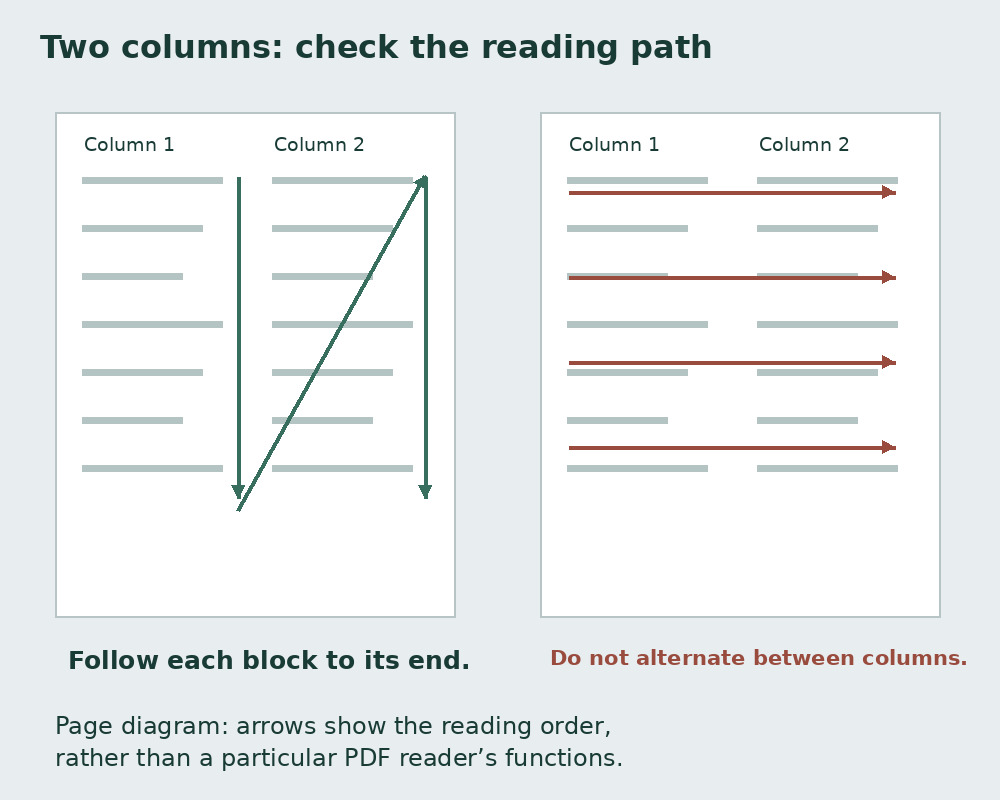
Copy blocks and check joins
Select one readable block, paste to a working copy and check its first and last sentences. Add subsequent blocks with clear separation. If selection fails, consider a source export or different extraction and verify it.
Missing connecting lines are easy to overlook. Find a short transition in both versions, not memory alone. Avoid overlap when adding separate totals. The counter measures its entire editor; paste only the intended part and save before replacing it.
Inspect table relationships
Tables associate labels and values. Extraction can separate quantities from items: fragments may estimate translation volume but no longer safely convey meaning.
Preserve or reconstruct the table. State header repetition and inclusion of numbers. Extracted lines are not records because cells can span several lines. See CSV text. Check every column boundary before converting tables to linear prose.
Handle layout repetitions deliberately
Section names, authors, sites and page numbers may repeat. Decide inclusions: removing them can help sentence analysis but may conflict with complete-page translation.
Do not globally delete identical lines. Chapter names may belong in contents and body; quotations may repeat intentionally. Remove agreed layout repetitions only. Use duplicate-line removal on an isolated administrative list rather than an unreviewed manuscript.
Separate reordering, joining and hyphen repair
After ordering, join printed line endings within actual paragraphs using spaces, preserving paragraph separation. See joining lines before global replacement.
The literal fragments co- and municazione illustrate hyphenation, requiring more than a word space. Keep real compound-name and range marks. Repair after ordering so unrelated columns are not joined. One transformation at a time makes verification easier.
Verify readiness for analysis
Reconcile each block with the PDF. Check every column’s beginning and end, all tables and some page transitions. Critical material requires full review rather than sample certification.
Only then interpret sentences, paragraphs and Gulpease, an index for Italian text. Reordering can invent sentence lengths. Record raw versus reconstructed scope and retain both when useful. Scans may also need OCR diagnosis; recognition and order are distinct problems.
Why order matters even with equal frequencies
The literal Italian “Il gatto dorme. Il cane corre.” has six words. Swapping cane and gatto preserves both total and frequencies but changes meaning.
Moving a table value to another product can likewise preserve length. Numeric summaries complement rather than replace block comparison. Record consistent reading paths for recurring layouts and check structural changes such as two columns becoming a full-width table.
Four checks
| Stage | Question | Warning sign |
|---|---|---|
| Scope | Which blocks are required? | Unexplained sidebar inclusion |
| Order | Does the sentence continue here? | Alternating columns |
| Separators | Logical or printed break? | Break after every printed line |
| Verification | Complete block boundaries? | Omitted or duplicated lines |
Sources and checks
- PDF.js: PDFPageProxy and getTextContent · Extracting existing page text; text extraction is distinct from OCR
- MDN: white-space · CSS whitespace and line-break rendering