Define the outcome and eligible users
Start with a recognisable task. Booking a meeting room differs from requesting event permission. If the service separates them, do not merge both under a vague “request”. Readers need to know whether this is their route before spending time.
State actual blocking prerequisites: eligible role, credentials, documents and information. Verify required items rather than inventing them for a template. A final-step surprise can invalidate earlier work. This guide uses a fictional laboratory equipment-booking service, not an existing portal. Real application needs checks of commands, rules, messages and outcomes in the relevant environment with necessary authorisation.
Make each action observable
A useful step includes verb and identifiable object. “Complete everything correctly” is vague; “Enter collection date and number of kits” identifies values. They can share a step if entered together; separate different screens.
Designers Italia recommends specific, contextual, goal-oriented microcopy. Use actual labels. Calling “Submit request” “Confirm order” elsewhere can imply a different outcome. Avoid position and colour alone: “green button on the right” may fail after layout changes. Name the action, adding location only where helpful. An image should show the correct step and add information.
A fictional procedure with gaps
Sign in and complete the form. When finished, confirm. If there are problems, check details and try again. Special kits may need authorisation. The request will be handled as soon as possible.
Shortness hides unanswered questions: what to prepare, when to obtain authorisation and how to identify successful submission. “Confirm” can mean review or booking; “try again” fails to distinguish correction from a request already received.
Reconstruct the service first. Assume for this fictional case that special kits need an authorisation code, a review screen precedes submission and receipt gives a request number. These support the writing example; they are not features tested in a real product.
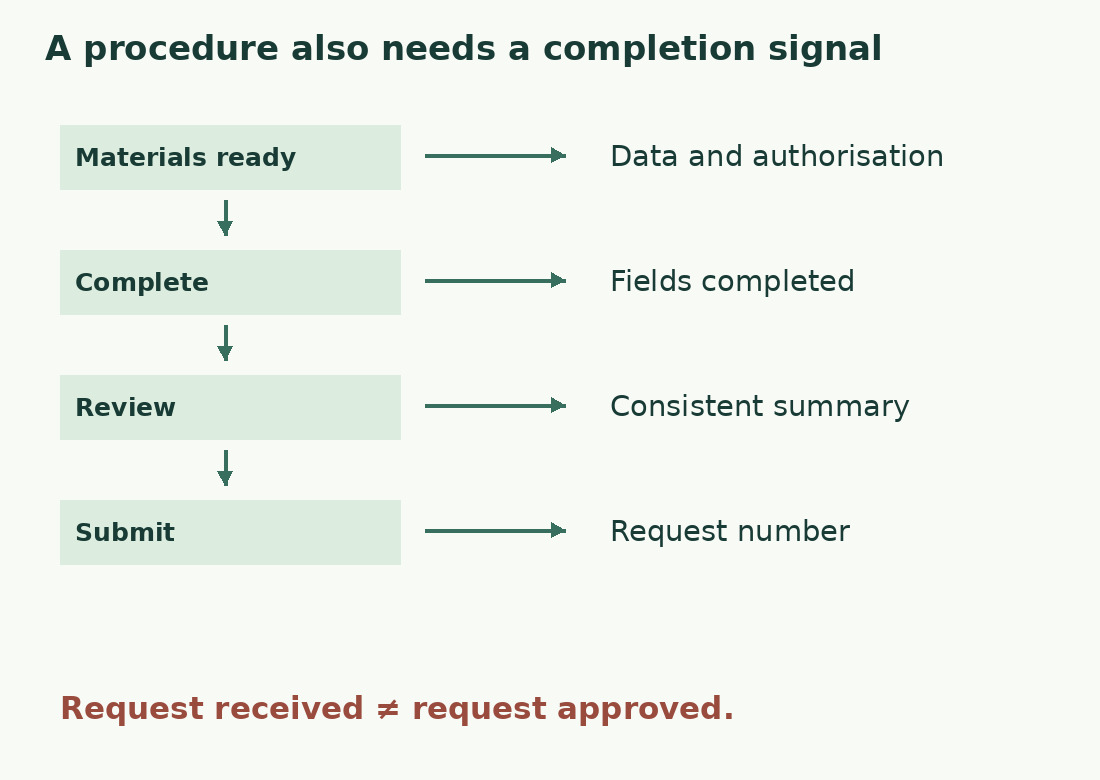
A version with conditions and results
Prepare collection date and quantity before starting. For special kits, also obtain the fictional laboratory’s authorisation code before submission. Do not bury the condition in a final note.
- Sign in to the booking service and open New request.
- Select kit type, quantity and collection date.
- For a special kit, enter the authorisation code in its field.
- Open the summary. Check type, quantity and date; correct errors before proceeding.
- If correct, select Submit request.
- Keep the number shown in the receipt confirmation.
Receipt is not approval if assessment remains. A complete real procedure must say how the decision arrives and where to ask about missing confirmation. Verify these facts rather than infer them from button labels.
Give different problems different recovery paths
“Something went wrong” is insufficient when readers can act. Missing code can point to a field; invalid code can explain checking or support. Unavailable service does not justify correcting valid data.
Designers Italia recommends explaining problem and solution without blame. “Enter the authorisation code to request this kit” helps more than “You completed the form incorrectly”, provided the system recognises that cause. If no request number appears, explain how to check status before resubmitting. “Press again” is not a universal fix. Determine which actions are reversible and which duplicate submissions from actual behaviour.
Make branches visible
Put exceptions beside affected steps. “If requesting a special kit” belongs before the code rather than in every step’s parentheses. A long alternative may need a separate section with a clear selection rule.
Use numbered steps for sequences, bullets for unordered materials. “After submission” locates confirmation and timing information better than repeated “Other information”. The readability check can flag heavy language; Gulpease itself concerns Italian. It cannot verify prerequisites or functions. Even short sentences fail if a necessary document is missing. Keep wording review separate from procedure execution.
Test and record what happens
For real services, observe a relevant person starting from stated conditions and completing without explanation. Note interventions and questions. Do not assume inattention: information may be absent or labels differ from the interface.
Check ordinary and described alternative routes. Mark untested parts as unverified. Text review alone cannot demonstrate successful submission, interface accessibility or functioning recovery messages. Record these checks separately. After changes, revisit labels, conditions, screenshots and final result. Revision dates should reflect actual checks. Keep the instruction’s promise aligned with real behaviour while reducing uncertainty.
The complete fictional route
| Stage | Information needed | Completion signal |
|---|---|---|
| Before starting | Date, quantity, any authorisation | Materials ready |
| Completion | Recognisable actions and fields | Values in summary |
| Review | What to inspect and correct | Consistent summary |
| Submission | Action with explicit effect | Request number |
| After submission | Receipt differs from decision | Status under service rules |
Sources and checks
- Designers Italia: microtesti · Specific actions, contextual help and error messages supporting understanding and recovery without blame.