Keep text and measurement separate
Use a stable ID, text and length in separate columns so sorting and filtering retain their relationship. Examples use A2 as text; never put its formula in the same cell. Enter =LEN(A2) in a helper column and copy down. Function language can vary; check it before changing data if a name is unrecognized. A syntax error is not a cell-length limit. Retain a simple control row.
Understand what LEN includes
Google says LEN counts spaces and nonprinting characters. Grid alignment and column width do not measure stored text, and widening a column does not remove spaces. The literal Italian Sale fino has 9 characters; Sale fino has 13 from two leading and two trailing spaces. Record the difference before cleaning received data. Keep the cleaned version identifiable and measure the actual string to be pasted.
Exclude only the declared separator
Use =LEN(SUBSTITUTE(A2," ","")) to remove ordinary spaces from the measurement without editing A2. Argument separators depend on sheet settings. This does not remove tabs, line breaks or other spaces: each requires an explicit decision. A no-space measure may not fit a field accepting the whole string. Label the column “characters excluding ordinary spaces”, not “clean characters”; see hidden characters and cleanup.
Sum a range with visible checks
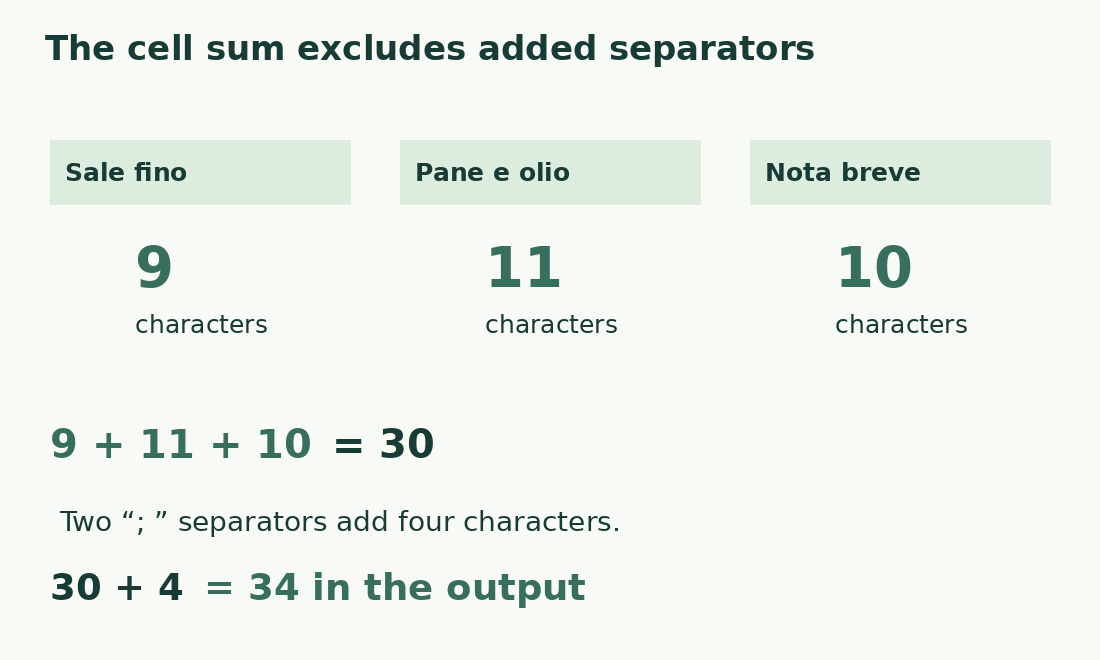
If B2:B20 holds lengths for A2:A20, use =SUM(B2:B20). Retain individual values: a valid total can hide a single overlong description. Cell-length sums exclude separators not stored in the cells. Joining three descriptions with two spaces adds two characters; prefixes, labels and punctuation add more. Build and measure the final output in its own cell rather than treating the input sum as its final length.
Check three literal samples
The Italian strings Sale fino, Pane e olio and Nota breve have lengths 9, 11 and 10, totaling 30. Without ordinary spaces they are 8, 9 and 9, totaling 26; the difference is four stored spaces. Joining with two ; separators adds four characters, giving 34. These are literal arithmetic checks, not claimed app tests. Repeat the samples in your sheet to check syntax, references and expectations.
Distinguish blank text from records
An empty cell has length zero; one ordinary space has length one. A formula returning "" has zero text length despite containing a formula. Counting completed records requires another definition: two five-character records and one ten-character record yield the same sum. Keep ID, text, length and review status separate. A zero may be missing required content or a correctly empty optional field, depending on the data schema.
Measure the representation being published
These instructions concern text cells. For numbers or dates with display formatting, decide which representation will be exported. A code with leading zeroes and a number may look similar but mean different things. Create an exact output column and count it; do not convert calculation columns indiscriminately to text. Check a sample after export or copying, because a correct source count does not prove the destination preserved the string.
Use counts for useful revision
Sort all linked columns together so text and IDs stay aligned. Inspect unusually long entries for pasted instructions, duplicates or unnecessary spaces; preserve necessary names and units while revising meaningfully. Check a single final description with the character counter. For many rows, add a limit warning. Keep unit and space treatment in the column heading so the next editor can understand the measure.
Three strings, two measures and a joined output
| Text | With spaces | Without ordinary spaces |
|---|---|---|
| Sale fino | 9 | 8 |
| Pane e olio | 11 | 9 |
| Nota breve | 10 | 9 |
| Sum of cells | 30 | 26 |
| Join with two «; » separators | 34 | Output differs from the original sum |
Sources and checks
- Google: LEN · Counts characters including spaces and nonprinting characters.
- Google: SUBSTITUTE · Replaces specified text matches within a string.
- Google: function list · Function names and language settings.