Set up one row per deliverable
Put the text in A, its agreed maximum in B, length in C and remaining capacity in D. Keep a stable ID beside each row. State whether spaces count and where the requirement comes from. Different fields may have different limits; a single maximum copied everywhere can be wrong. Exclude headers and working examples from the deliverable range.
Calculate length and remaining capacity
Use =LEN(A2) in C2 and =B2-C2 in D2. A positive remainder is spare capacity; zero is exactly at an inclusive maximum; a negative value is the minimum reduction needed. For length 28 and maximum 20 the result is −8. Regional argument separators and function names may differ. A character total cannot decide which words are safe to remove.
Add a readable conditional-format rule
Select A2:A100, open Format > Conditional formatting and choose a custom formula. Use =LEN($A2)>$B2, matching the first formula row to the selected range. Fixed columns preserve the intended fields while rows change. Pair colour with the remainder or a written status so the sheet remains understandable when printed. Formatting signals a condition; it does not reject the input.
Test below, at and above the threshold
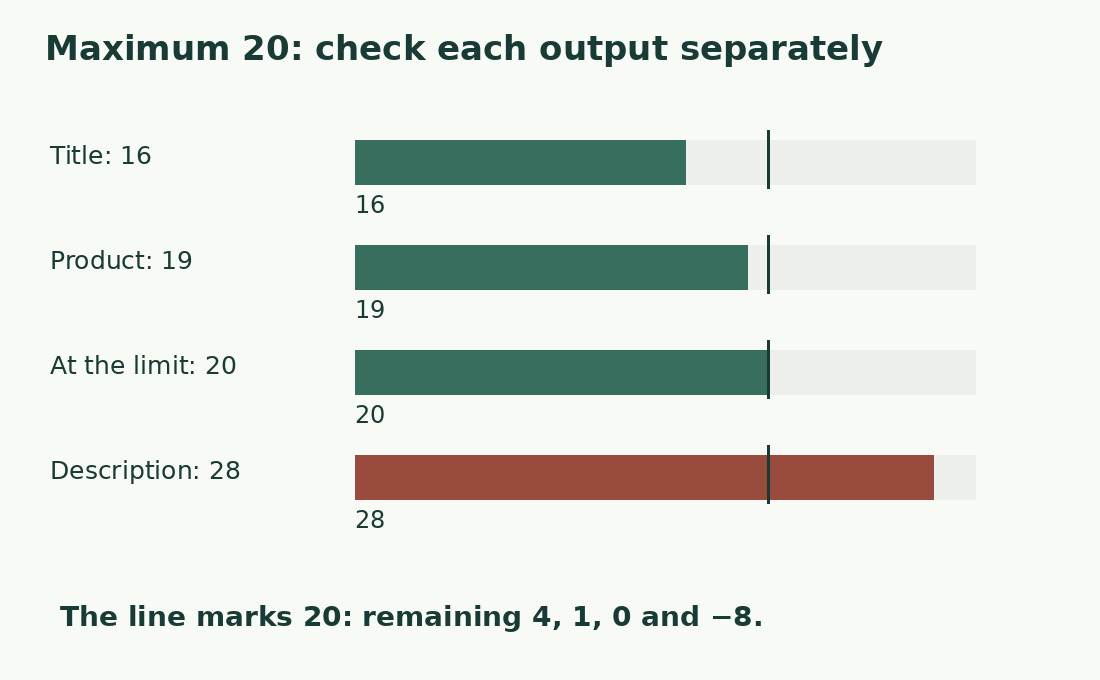
With a maximum of 20, the exact Italian samples Un titolo chiaro, Prodotto: Sale fino and Una descrizione troppo lunga have 16, 19 and 28 characters, leaving 4, 1 and −8. Test 12345678901234567890 as an exact 20-character boundary. Use > rather than >= when 20 is allowed. An obviously long example alone cannot establish correct boundary behaviour.
Measure the actual composed output
If publication adds a label, signature or separator, count the completed output cell instead of A2. A source title can fit while its prefixed version fails. The text-joining guide shows why component lengths are insufficient. Do not exclude spaces when the receiving field includes them. If the destination transforms text, compare a small final sample there before delivery.
Separate missing content from excess
An empty description can pass a maximum-length check while remaining incomplete. Keep a distinct missing-required-content status. An absent maximum also needs attention rather than being treated as approval. For optional fields record that blank is permitted; otherwise blank and unfinished work are easy to confuse. A green cell should mean only the documented length condition, not overall editorial approval.
Shorten without deleting essential facts
Remove irrelevant openings, repetition and text that belongs elsewhere before trimming necessary detail. Preserve negations, quantities, units and conditions. If far over the limit, reconsider the field’s job instead of changing words one by one. Compare complete alternative versions, then recheck meaning before length. Cutting mechanically at character 20 can damage a word or remove the qualification that makes a claim true.
Check new rows and the final version
Confirm that formulas and formatting cover the actual last record, and inspect all negative remainders after the final edit. Re-run boundary cases if limits change. For a single exported value, compare it in the character counter. Keep the output version and rule with the sheet; describe the result as measured against stated thresholds rather than globally validated.
Inclusive maximum: 20 characters
| Literal sample | Length | Remaining / status |
|---|---|---|
| Un titolo chiaro | 16 | 4 / within limit |
| Prodotto: Sale fino | 19 | 1 / within limit |
| 12345678901234567890 | 20 | 0 / allowed boundary |
| Una descrizione troppo lunga | 28 | −8 / shorten |
Sources and checks
- Google Sheets: Primary documentation · Documented commands, function definitions and limitations used in this guide; workflow examples are original.
- Google Sheets: Primary documentation · Documented commands, function definitions and limitations used in this guide; workflow examples are original.