The presentation total is broader than projected text
A presentation contains titles, bullet points and speaker notes. Someone asking how many words an audience reads may need a different inventory from the whole-file total. A visually sparse deck can have extensive notes.
Do not label a combined result “slide words” without explaining its scope. A per-slide ceiling also needs individual checks: a low average can hide one crowded slide. Record where text occurs so the count leads to the right edit, rather than treating all words as interchangeable.
Find the count in the correct desktop version
Use the Windows or Mac route stated above in the presentation you will deliver. Expand the Windows properties if needed and ensure this is the editable file rather than a preview in another application. Interface labels can vary with language and version.
Record the file version and measurement time. A colleague adding notes or duplicating slides can change the basis of a comparison. Keep an identifiable copy for a fixed check. Changing the theme or font is unnecessary for counting text; those changes primarily affect presentation.
When you are working in the browser
Desktop instructions do not reveal a hidden web command. If you can open the file on desktop, first confirm that it contains the current shared edits and the notes you need. An old download is a poor comparison with the live presentation.
Without desktop access, collect the required visible text into a controlled counting copy. The word counter can measure that extraction. Label exactly what you included; do not call a partial extraction the integrated total of the entire presentation. Check small objects and copied text for omissions.
Inspect a notes handout before counting it
On Windows, File > Export > Create Handouts opens the route to a Word document. Choose the intended layout and inspect what the resulting document contains. A layout is not proof that every included word belongs to the notes-only requirement.
Check headings, numbering and labels, selecting only relevant passages when necessary. Paste produces a snapshot; Paste Link allows later presentation updates to affect the handout. Recheck after an update. The Word counting guide explains whole-document and selection scope.
Keep a separate slide and notes inventory
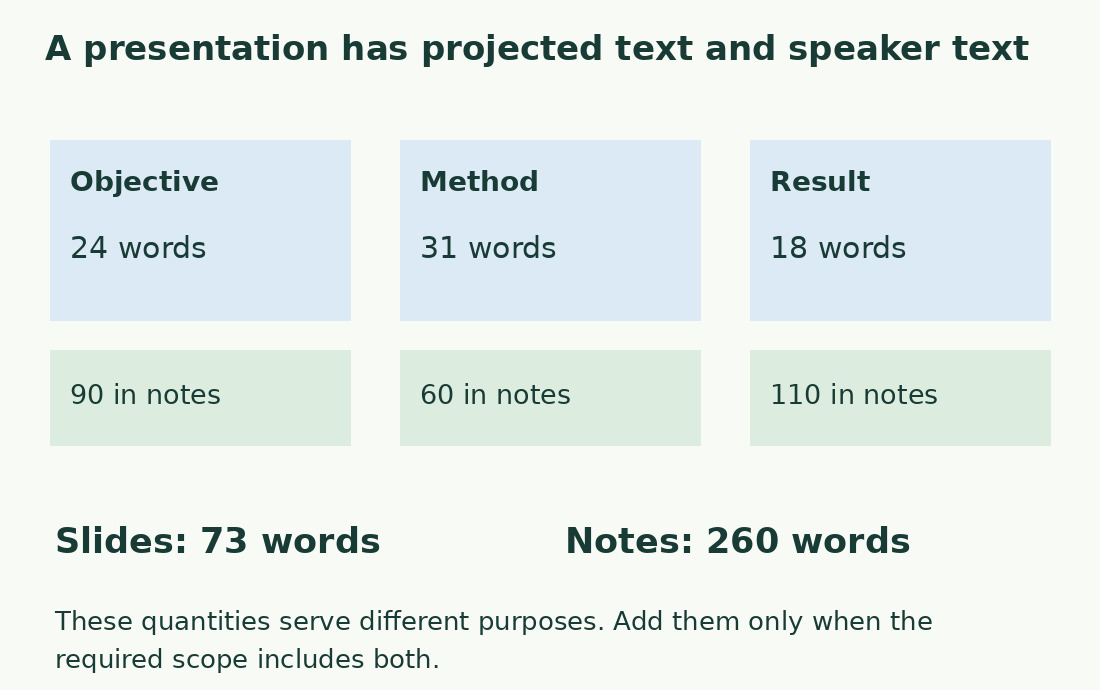
For an original editorial example, assume visible counts of 24, 31 and 18 across three slides: 73 in total. Notes of 90, 60 and 110 add to 260. The combined inventory is 333. These are hypothetical values under one chosen method, not observations from a PowerPoint installation.
The second slide has the most visible text, while the third has the longest notes. Those call for different revisions. Store a slide title or stable identifier as well as its position; reordering makes “slide 3” ambiguous. After deletion, check the associated notes and update the inventory to match the final file.
Investigate punctuation and text inside images
Microsoft cautions that punctuation affects its count. Do not promise agreement with a differently segmented counter. Keep PowerPoint’s method if the recipient requires it; otherwise apply the agreed editorial method consistently to the extraction.
Inventory text inside screenshots, images and imported objects rather than assuming it is recognized. A paragraph embedded in a picture can affect audience reading even if absent from copied text. Compare one simple slide with one containing the unusual object. Added notes, duplicate slides and export labels can explain differences before tokenization is involved.
Use the inventory to improve the presentation
Read titles and points as the audience will see them. Remove repetition while retaining the information needed to understand the graph or decision. Moving everything to notes helps only if viewers do not need that text on screen.
Word totals alone do not fix speaking duration: pauses, explanations and questions matter. Rehearse the notes rather than promising a duration from the combined inventory. After revision recheck both presentation and handouts, recording scope and method. A useful count points to the slide requiring attention and the version to deliver.
An editorial inventory of three slides
| Slide | Visible words | Words in notes |
|---|---|---|
| Objective | 24 | 90 |
| Method | 31 | 60 |
| Result | 18 | 110 |
| Total | 73 | 260 |
Sources and checks
- Microsoft: Presentation word count · Desktop routes, notes, handouts, punctuation and web availability.