DOCX is not one text string
A DOCX displays as pages but stores multiple parts. Microsoft’s WordprocessingML documentation distinguishes main-body paragraphs from other components. Tools can read different content without arithmetic errors.
Ask about body, tables, notes, headers, boxes and revisions instead of relying on a generic “Word count” promise. Our post-import notice defines scope. Add required excluded parts explicitly rather than assuming every visible page element was counted.
What this importer reads
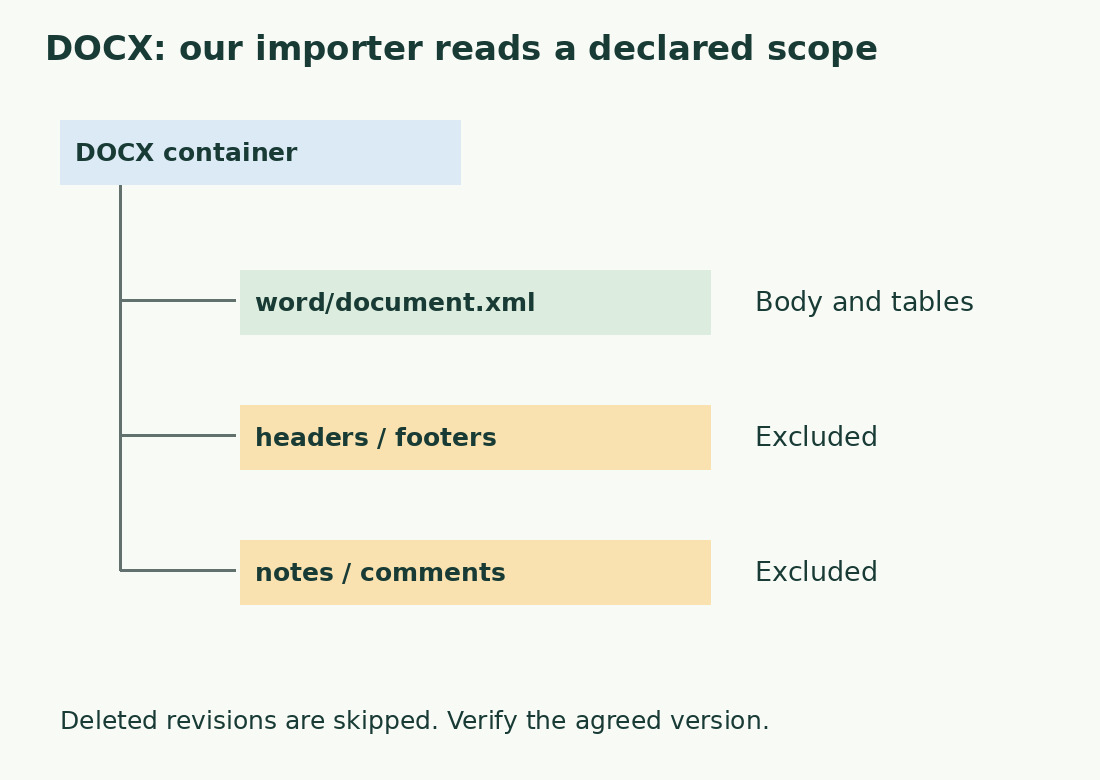
The current reader opens the main DOCX part, reading body paragraphs and its tables. Breaks and tabs become textual separators in the editable copy. It does not reproduce formatting or reconstruct the original layout.
Bold, large or colored headings remain text without extra words. Table cells may arrive as successive blocks, losing column relationships. Before calculating Italian cartelle, check a real table, its captions and units where present.
Excluded notes can explain differences
Footnotes, endnotes, headers, footers, comments and text boxes are not automatically added. A body-only total is incomplete for assignments including these. Rounding or changing cartella size cannot recover missing content.
List inclusions such as body, captions, bibliography and notes, with comments excluded. Record another program’s additional-text setting. Fifty extra words may be a missing note rather than fifty different word boundaries. Test the disputed document part instead of another ordinary paragraph.
Define the revision version
Tracked changes can retain both added and deleted text. Our reader skips blocks marked deleted and reads insertions. This does not guarantee agreement with every complex revision display.
Agree whether the original, proposed revision or accepted final text is measured. Work on a copy and resolve revisions only when authorized. Revision work may require retaining the earlier version. Two valid totals can describe different versions unless the object is agreed.
An inclusion example
An invented document has 800 body words, 60 note words and 12 header words. Body plus notes gives 860; the header is excluded by agreement rather than visibility. A body import shows 800, leaving 60 to reconcile.
This is arithmetic illustration, not a Word application test. Reproduce using separate blocks; isolate actual notes to explain discrepancies. Do not add guessed words per page: note lengths vary, and repeated layout headers may not be new editorial content.
Check import completeness
Inspect body start and finish, a middle heading, accented phrase and table entry. Add required text-box content separately once. Check shapes and special objects; a displayed total does not establish correct interpretation of every object.
For omissions, copy a defined selection or export plain text. Renaming DOC to DOCX does not convert it. Our importer accepts DOCX, TXT and PDF within stated limits. Optional draft storage remains on the device: disable on shared machines and remove confidential working copies afterwards.
Use the required method
If rules require an editor’s figure, use its value and settings. The online counter can help check a copy but does not override a mandated method. For final-text character agreements, define scope and retain copy and report.
Record version, inclusions and revisions. Use word count or characters including spaces as requested. PDF export can alter extraction and repeat headers. See PDF counts before assuming equivalence.
Keep a trace without counting twice
Save a concise rule such as “final version; body and notes; comments excluded”. It supports repeat checks after corrections and collaboration without redefining scope.
Do not add a section already included in a complete count. Either count the copy with notes manually added or sum body and notes separately once. Traceable scope matters more than decimals, which cannot restore omitted or remove duplicated text.
This DOCX importer’s scope
| Part | Current behavior | Check |
|---|---|---|
| Body and tables | Included | Order and completeness |
| Headers and footers | Excluded | Add only if required |
| Notes and comments | Excluded | Agree scope |
| Deleted revisions | Skipped | Define final version |
Sources and checks
- Microsoft Learn: Structure of a WordprocessingML document · Main body paragraphs and separate document parts