Choose the unit before opening the counter
Write down the unit, maximum and included parts. A 2,000-character limit cannot be checked using words: equal word counts can have different lengths. The Italian publishing term «battute» often includes spaces, but the recipient’s definition controls. For a 600-character title and description, decide whether their separator is a space, a line break or nothing. Select deliverable content rather than working instructions.
Open the count on a computer
Choose Tools > Word count. The dialog distinguishes words, characters and characters without spaces. Select a passage first, or clear any selection for the document total. A title left highlighted after formatting can produce a partial count. Label your recorded value “document” or “selection”; compare paragraphs by selecting each without altering the file.
Keep the relevant statistic visible
Enable Display word count while typing, then choose a statistic from the bottom-left indicator. For a character limit, display characters. Check the measured scope after editing. With a maximum of 1,500, stopping provisionally at 1,450 leaves room for a name correction or necessary clarification; this margin is a working choice. Compare complete alternatives and retain the previous version until meaning is preserved.
Check the mobile app
On Android, open More > Word count; Google documents words and both character measures. Check selection handles on a small screen. For another device, consult its platform-specific help rather than assuming identical button positions. When moving between phone and computer, ensure the latest edits are present: different versions can explain different totals.
Check a literal sample
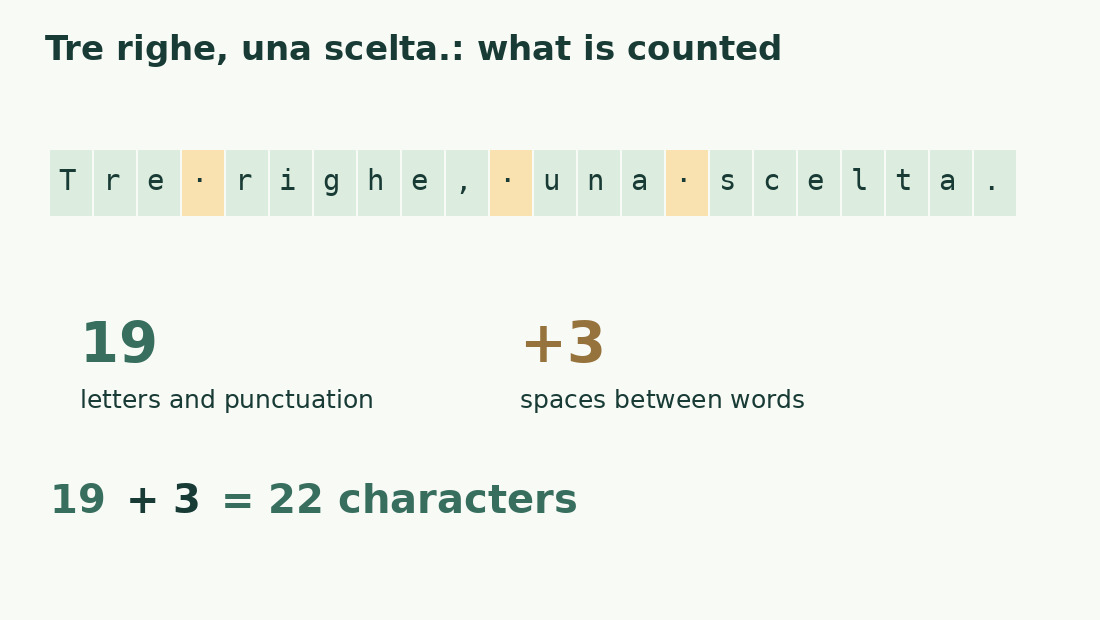
The Italian example Tre righe, una scelta. has 19 characters excluding its three ordinary spaces, and 22 including them. Its four space-separated units are “Tre”, “righe,”, “una” and “scelta.” Comma and period each count as a character, not an independent word here. This explains labels, not every tokenizer. Investigate apostrophes, hyphens, URLs or symbols by reducing a discrepancy to a short sample and restoring suspect passages individually.
Reconcile the count with the assignment
By default Google Docs excludes headers, footers and footnotes unless a specific selection is made. That software scope does not define an institution’s rules. A heading in the body differs technically from a header. Preserve the original and make a dated checking copy containing allowed material. Use a required destination environment as the acceptance reference; see notes and bibliography for a separate breakdown.
Shorten without losing information
Remove repeated explanations, announcements, duplicate dates or unnecessary synonyms first. Replacing a long phrase with a shorter equivalent can help; deleting a condition that changes meaning cannot. Reread each sentence alone and in context. Check copied extracts with the word counter or character counter, using the same content and a compatible rule. A lower number alone is not an improvement.
Record the final result
Finish revision, then record file, version, unit, scope and value: “1,472 characters including spaces, title and description, version of 12 October” is reproducible. An edit afterward invalidates that measurement. Report the requested unit only; for a form, measure the actual pasted string and check its own counter before submission. Retain enough evidence to repeat the method or explain a discrepancy.
Break down a checkable sentence
| Element | Quantity | Effect |
|---|---|---|
| Letters and punctuation | 19 | Base excluding spaces |
| Spaces between words | 3 | Add three characters |
| Total including spaces | 22 | Literal string «Tre righe, una scelta.» |
| Space-separated units | 4 | Simple sample without ambiguous cases |
Sources and checks
- Google: word count on a computer · Command path, live indicator, selections and default exclusions.
- Google: word count on Android · More menu and statistics available in the app.