Not necessarily an error
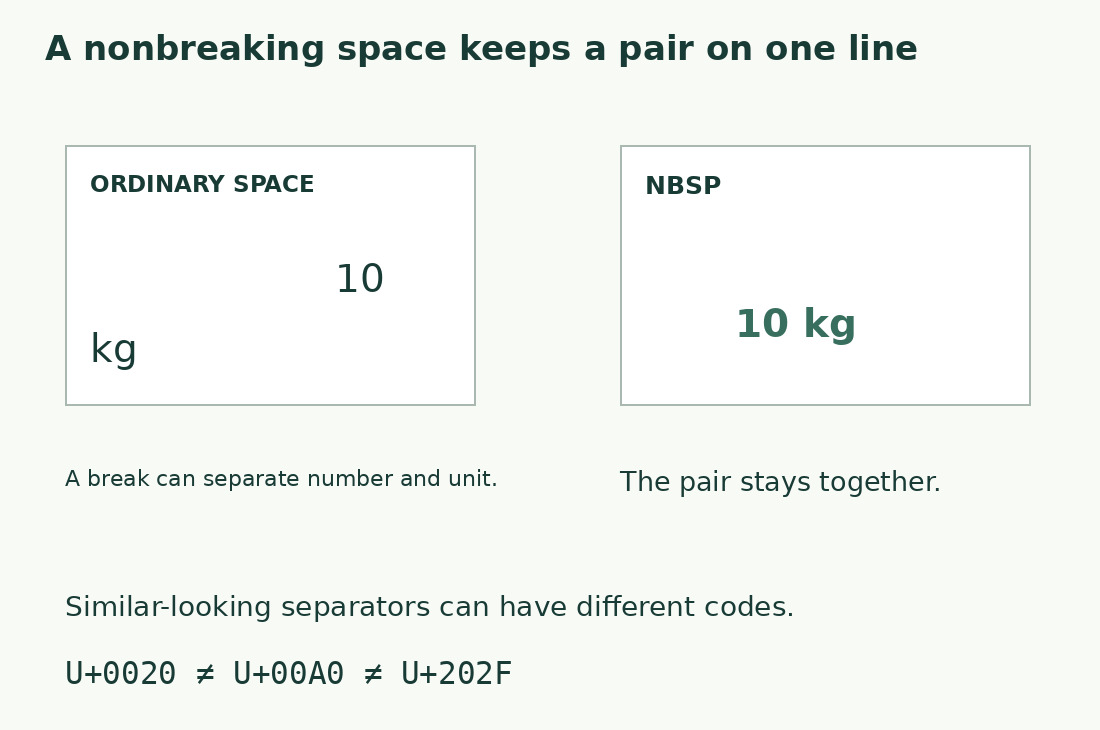
Keeping numbers with units and other meaningful pairs can improve layout. Unicode line-breaking documentation describes this purpose, despite spaces looking similar.
Visually equal strings may differ in exact comparison, especially after web copying. A separator can be intentional for publication but inconvenient for a permissive matching key. Decide by use rather than assuming removal is always right.
Three spaces to distinguish
Ordinary SPACE is U+0020; common NO-BREAK SPACE is U+00A0 or NBSP; NARROW NO-BREAK SPACE is U+202F. Identification alone does not decide suitability.
Use code-point inspection or an exact-character search on a short sample. Zooming is unreliable because fonts hide differences. “U+00A0 between A and B” is more reproducible than “a strange space”.
Same graphemes, different bytes
A + ordinary space + B has three graphemes and three UTF-8 bytes. NBSP gives three graphemes and four bytes; narrow no-break space gives three and five.
An unchanged editorial total can coexist with different exact comparison or byte-limit results. Use the requested delivery unit and keep precise sequences for diagnosis. See characters and UTF-8 bytes rather than generalizing from one separator.
Our counter’s behavior
The counter includes all three in Characters with spaces and excludes them without spaces: each A-space-B example gives three and two respectively.
Equal totals do not establish equal names, codes or list entries. Define comparison separately, for example converting selected separators in keys while retaining publication originals. See How we count for other conventions.
Replacement differs from deletion
Replacing with ordinary space preserves a readable boundary; deleting can join words or names and change content.
Test one line first. Conversion permits breaks previously prevented, possibly appropriate for data and inappropriate for print. Choose retention, conversion or deletion according to destination instead of relying on “remove all spaces”.
Lists, duplicates and import
Rows differing only in spaces can be matched with agreed separator conversions. Preserve displayed rows and inspect collisions because normalized equality does not prove original identity.
Significant code spaces may need retention while descriptions allow unification. See deduplication. For CSV, parse fields before cleaning values; raw-file substitutions can damage separators, quotes and newlines.
Generic cleanup may differ
Some commands match only U+0020; others use broad whitespace categories. Inspect surviving gaps rather than repeating commands.
Read instructions and test the precise tool. Narrow rules can miss Unicode spaces; broad ones can erase wanted newlines. Separate internal-space compression from line and paragraph handling so effects remain checkable.
Final delivery checks
Review changed number-unit pairs, initials and surnames, and web-copied text in both plain and final layouts. Correct list behavior does not guarantee correct print breaks.
State whether spaces count and unusual ones were normalized. Keep original technical copies. Aim to meet requirements rather than minimize totals. Share identified short examples when uncertain instead of silently rewriting everything.
Make a reproducible report
Use actual different separators between the same letters on three lines. Put labels outside measured strings: literal U+00A0 is six notation characters, not the space.
Ask which versions match ordinary space at the recipient. This avoids sharing entire archives. After replacement, check word separation. Bytes identify differences but cannot choose typography.
A and B with three separators
| Separator | Graphemes | Without spaces | UTF-8 bytes |
|---|---|---|---|
| U+0020, ordinary space | 3 | 2 | 3 |
| U+00A0, NBSP | 3 | 2 | 4 |
| U+202F, narrow no-break space | 3 | 2 | 5 |
Sources and checks
- Unicode UAX #14: Line Breaking Algorithm · Line-break opportunities and nonbreaking behavior
- Unicode: General Punctuation · Identification of zero-width spaces, joiners and narrow no-break space