Source code and submission text are different
LaTeX contains both your message and typesetting instructions. A section command, label identifier and chapter sentence serve different purposes even though all contain letters. Decide whether you need document content or source-code length. An academic limit normally concerns text defined by submission rules; a technical audit may concern code. Label the results separately.
Our word counter does not interpret LaTeX. Use it on a passage already extracted as plain text, rather than as a project parser.
Define the scope before counting
Write an inclusion list first: main chapters and conclusion included, contents, bibliography and appendices excluded, for example. This is an assignment rule, not a universal LaTeX property. A journal can require different choices from a course.
- Do the document title and section headings count?
- Are captions part of the body or a separate subtotal?
- Are footnotes included argument or excluded material?
- How are equations, citations and table text treated?
If instructions are ambiguous, prepare body and supplementary subtotals instead of silently choosing the smaller result. Keep the recipient’s clarification with your settings so the count can be reconstructed.
Read the project count and its categories
Overleaf’s current documentation places Word Count under File. It runs TeXcount on the main document and supported included files. The documentation distinguishes categories and explains inclusion options. Compare the report with your assignment list, rather than accepting its first visible number.
A report excluding captions may be technically correct but unsuitable for a figure-heavy submission. Check scope instead of adding an estimated percentage. Labels can change with language and updates; consult the official Word Count instructions if the command moves. PDF page count is not a replacement.
A small example reveals the difference
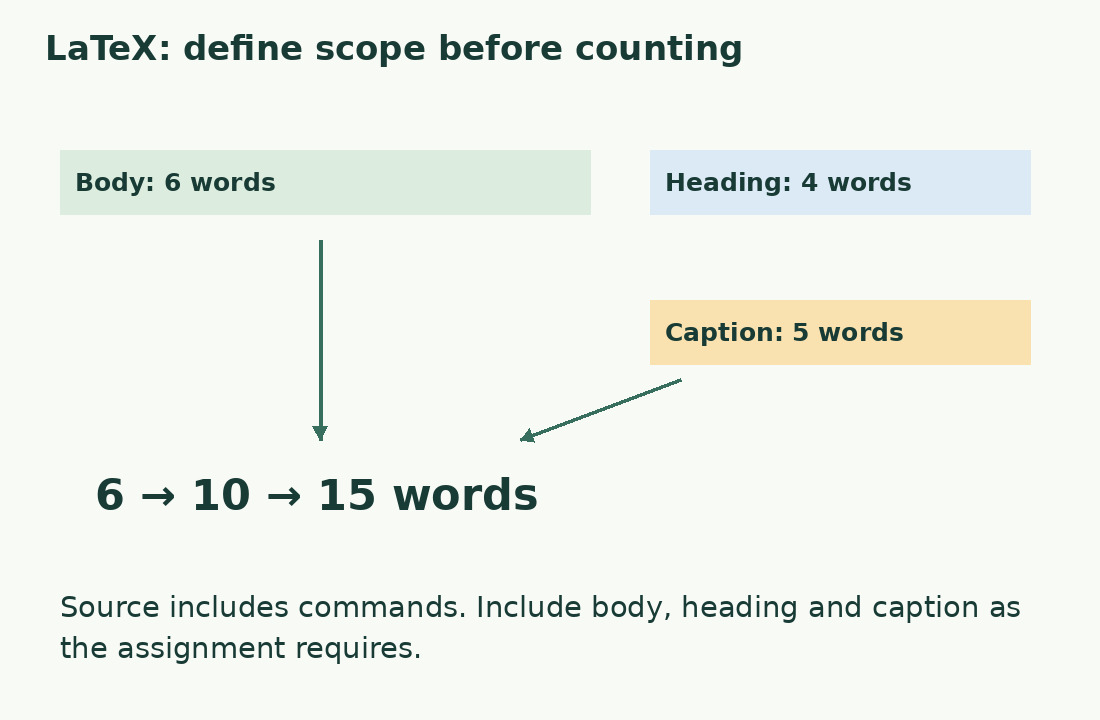
Keep these exact Italian samples for reproducible arithmetic: heading “Una giornata nel bosco” has 4 words; body “Il bosco cambia. Gli alberi restano.” has 6; caption “Il sentiero dopo la pioggia” has 5 under our engine’s rules.
Body only gives 6, adding the heading gives 10, and including the caption gives 15. No text was added: permitted components changed. Before adding real report categories, determine whether they are already included; a sum may contain the captions you intend to add. Diagnose uncertainty with one paragraph and one caption before applying the decision to the full project.
Check every chapter was reached
A plausible total can still omit a file. List expected chapters and compare with the report. A total of 18,000 words could mean six short chapters or five with one missing: plausibility is not verification.
Temporarily insert a distinctive sentence into the doubtful chapter in a working copy. Recount, check the expected increase, then remove it or restore the original. This verifies that project and configuration, not every LaTeX construction. Overleaf documents main-file location requirements and import cases. Check the relevant instructions before moving or renaming files, which may also affect compilation.
Check bibliography and macros separately
A short citation command can expand into names and dates in the PDF; a personal macro can insert a longer phrase. Counting the identifier does not measure the reader’s text.
Ask separately whether the parser recognizes the construction and whether submission rules include its result. Correct settings can still answer the wrong assignment question. Overleaf documents bibliography workarounds and a BibLaTeX limitation; do not transfer instructions between bibliography systems automatically. Test one custom expansion and compare expected text with the report. Record exceptions instead of applying a blanket correction factor. This measures identified content, not institutional compliance.
Use the PDF as a comparison
Extracting the compiled PDF offers another view but may introduce repeated headers, page numbers and words broken at line endings. It does not automatically replace source counting, especially with equations and columns.
Choose a page with a table and footnote. Copy it to plain text and inspect sentence order, intact words and supplementary material before explaining a discrepancy. A repeated running heading does not justify deleting every matching phrase: some may be body text. Count the cleaned passage with our tool if useful, keeping project and extraction results separate and explaining the comparison.
Submit a count that can be reconstructed
Record version, inclusions, counting system and checked exceptions. Another person needs to identify the text behind the number, not every click. For example: “Final chapter version; body and headings included; bibliography and appendices excluded; complete project checked.” Add required subtotals.
Do not call an approximate conversion exact or round to fit a limit. Repeat the measurement after editing, on the same basis. Replacing a chapter or changing bibliography systems requires another scope check too. The number, version and inclusion rules must describe the same document.
One example, three counting scopes
| Component | Words | When included |
|---|---|---|
| Body: Il bosco cambia. Gli alberi restano. | 6 | Total 6 |
| Heading: Una giornata nel bosco | 4 | Total 10 with body |
| Caption: Il sentiero dopo la pioggia | 5 | Total 15 with body and heading |
Sources and checks
- Overleaf, Using Word Count · Word Count, TeXcount categories, supported inclusions and bibliography limitations.
- University of Oxford, Counting the Words in a LaTeX Document · Raw LaTeX source versus document prose; scope depends on recipient and macros.