Find the count in the block editor
WordPress documentation describes document overview as the place for structure and statistics. Open List View in the top toolbar, then Outline. Labels can differ with translation and editor version.
WordPress.com confirms words, characters and estimated reading time; characters include spaces and counts update during editing. This describes the block editor, not every third-party page builder. If the panel is missing, identify the environment first. WordPress, themes and plugins can provide different interfaces; searching in the wrong editor may lead to unnecessary installations.
Three questions define the text
Why count? An article brief may concern only body copy; a complete-page check might include a sidebar or caption. Shared navigation normally does not belong to the product description being revised.
Record exact post or page, components and version. “Tuesday’s post” is insufficient after a paragraph or block changes; use a saved draft or revision reference. Measure promised content, rather than guessing search-engine preferences. A larger total alone does not prove usefulness.
Check title, body and caption separately
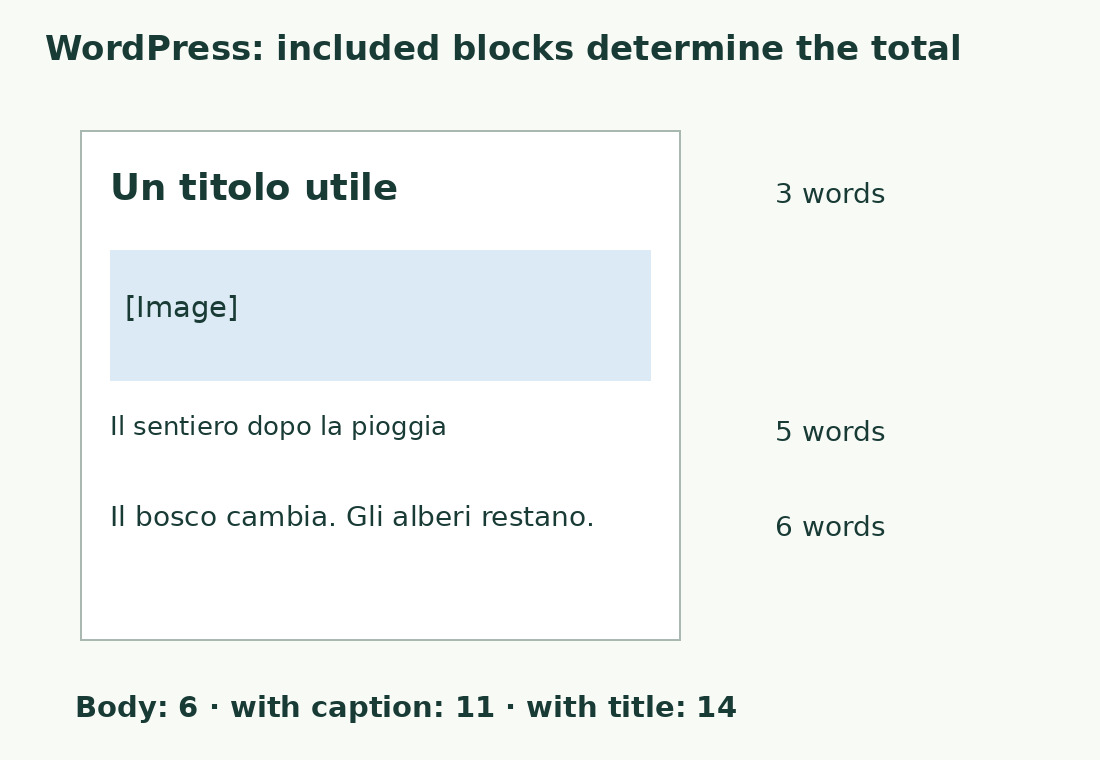
Keep these exact Italian samples for the arithmetic: title “Cura del giardino” has 3 words, body “Il giardino cambia. Le piante crescono.” has 6, caption “Il vaso vicino alla finestra.” has 5. Our engine measures 39 characters including spaces in that body.
Body alone is 6, body and caption 11, all three 14. Small samples expose inclusions. Insert the components into a test draft on your site and observe each change. These figures check our engine; they do not establish the behavior of every WordPress version or plugin.
Published pages may contain extra text
Copying the visible page can include title, author, labels, buttons and navigation. A whole-screen selection can measure part of the site rather than the article. Check selection before blaming the counter.
In preview, identify the required first and last sentence. Inspect the pasted text so related articles after the conclusion do not enter accidentally. Blocks and shortcodes may generate text at display time. Count rendered output for visitor-facing content; keep a separately labeled source count if auditing the post’s code.
Blocks are not interchangeable with paragraphs
Tables, quotations and images differ in technical structure and readable text. Record inclusion of cell text, captions, transcripts and notes. Block count does not establish words.
Replacing a table with an image may preserve its visible message while losing it in text extraction. A smaller total does not prove less information and should not be a numerical shortcut. For reusable notices, decide whether the task counts one editorial occurrence or everything displayed. Do not automatically deduplicate intentional repetition supporting navigation or comprehension.
Use an external counter for a defined passage
An external check helps compare a prepared passage with limits and retain a summary. Paste into the word counter, check opening and ending, then read results. Use characters with or without spaces when the brief requires that unit.
Our tool cannot enter your dashboard or automatically fetch a URL; it analyzes pasted text. Look for lost lists and unwanted additions. For differences of a few words, test apostrophes, hyphens and numbers: segmentation conventions can differ. Identify the rule before randomly deleting a sentence to compensate.
Revise substance as well as length
For a maximum, remove repeated ideas or details better explained once elsewhere. Preserve necessary conditions, examples and procedural cautions. For an agreed minimum, identify unanswered questions: a worked example, common error or distinction can add substance; repeating the definition only adds bulk.
Count indicates remaining space, not quality. Inspect the actual preview after editing. More words will not fix an overwide table, empty heading or hard-to-find section.
Check discrepancies in this order
- Confirm the same saved revision.
- Check included titles, captions, tables and sidebars.
- Inspect copied text for menus and missing content.
- Isolate blocks generating text on display.
- Then compare segmentation rules.
This prevents a supposed algorithm problem from hiding a whole caption present in only one copy. Check components first for large differences; small consistent discrepancies may concern segmentation. Scrollbar length and screen count change with design without necessarily changing prose.
Keep the final check
Record document, revision, scope and result before publishing or delivery. If someone verifies in another program, agree which measure governs. A short record avoids restarting with different tools and selections.
Update the count when that post changes; recounting the entire site is unnecessary. Check report labels distinguish words and characters. Our report does not automatically attach the original article. Final verification compares saved text, visible content and agreed scope.
Which total are you comparing?
| Example selection | Words | Question answered |
|---|---|---|
| Body only | 6 | How long is the paragraph? |
| Body and caption | 11 | How much text accompanies the image? |
| Title, body and caption | 14 | What is the selected editorial total? |
Sources and checks
- WordPress.org, WordPress Block Editor · Block editor and content blocks.
- WordPress.com, View word count and other details · List View and Outline: words, characters including spaces and reading-time estimate.