Choose the required statistic
Use words for a word limit and the relevant including-spaces or excluding-spaces value for a character limit. Average word length is not a conversion rule. Identify whether title, captions or working instructions belong in the submitted material. For a limit on one field, select that field alone. The counter measures content; it does not interpret the recipient’s rules.
Open the counter on Mac
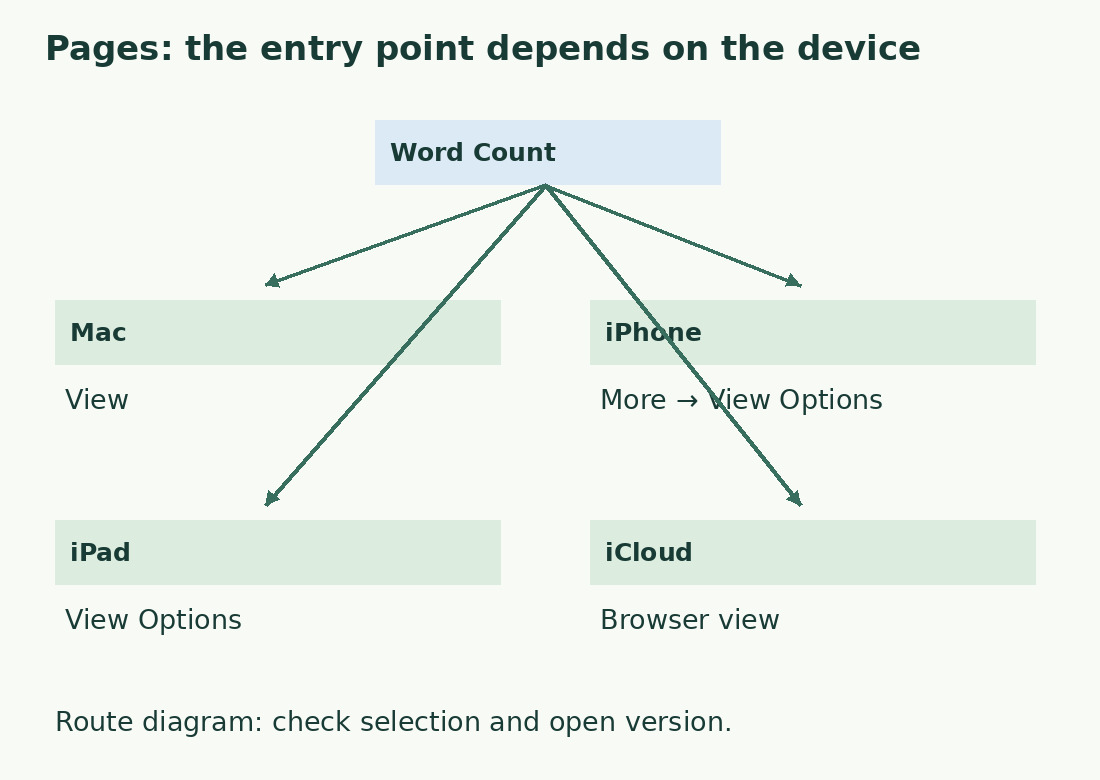
Choose View > Show Word Count. Use the counter’s arrows or menu to choose another statistic; the display command can reflect the selected measure. This control is different from inserting a page number. Check a short selection, then clear it before recording a document total. Compare alternative drafts separately and keep only the chosen version in the final content.
Use the iPhone and iPad controls
On iPhone, Apple documents More > View Options > Show Word Count; on iPad use View Options > Show Word Count. Tap the counter for available statistics. Check the first and last selected words carefully on a small screen. Before comparing with Mac, confirm the same saved document and recent edits: different versions can explain different totals without any device-specific counting defect.
Check Pages for iCloud
In Pages for iCloud, open View and show the word count, then choose the needed statistic. Select a passage for its count or leave nothing selected for the document. Verify title, opening, ending and a recently edited passage when checking a file created elsewhere. A matching filename alone does not establish identical content. Keep version, unit and inclusions in a separate note.
Use an exact control sample
The literal Italian Una scelta chiara. has 15 letters, one period and two ordinary spaces: 16 characters without spaces and 18 with spaces. Its three space-separated units help identify the statistic being read. This arithmetic does not establish how Pages handles every apostrophe, emoji or complex sequence. If tools differ, isolate the suspicious passage while keeping text and scope identical.
Inventory text in objects
A straightforward report and a flyer built from text boxes need different collection checks. List required title, body, captions and notes; do not infer that every object has been inspected merely because a total appears. The text-box and selection guide offers a component inventory. Do not add separately measured parts to a document total until you know whether those parts are already included.
Revise without changing the requirement
Remove repeated ideas before necessary quantities, qualifications or references. Read the shortened version without relying on the longer draft to supply missing context. A word counter can compare a copied passage, but preserve the same inclusions and follow any required acceptance method. A smaller number is not evidence of compliance if you changed the measured material.
Keep a useful final result
Record the number after the last content edit, for example “742 words, title and body included, final saved version”. State space treatment for characters rather than listing unrelated statistics. If delivery uses a form, check the actual pasted field before submission. Pages supports revision; a mandated destination counter remains the final reference. Unit, version and scope make later discrepancies explainable.
Same task, different view controls
| Environment | Counter control | Check before recording |
|---|---|---|
| Mac | View | Statistic and active selection |
| iPhone | More > View Options | Selection handles |
| iPad | View Options | Actual highlighted text |
| Pages for iCloud | View | Saved version open in browser |
Sources and checks
- Apple: Primary documentation · Documented commands, function definitions and limitations used in this guide; workflow examples are original.
- Apple: Primary documentation · Documented commands, function definitions and limitations used in this guide; workflow examples are original.
- Apple: Primary documentation · Documented commands, function definitions and limitations used in this guide; workflow examples are original.
- Apple: Primary documentation · Documented commands, function definitions and limitations used in this guide; workflow examples are original.