Prepare a traceable table
Keep text in A, a stable record ID beside it and length in B. Type =LEN(A2) into an empty helper cell to open the formula editor. Confirm a simple row before filling down. If syntax is rejected, check the function name and reference accepted by your settings. When sorting, move all related columns together so each result stays attached to its text.
Understand Apple’s unit
Apple’s function documentation defines LEN as the number of graphemes in a string. A destination may instead enforce a different technical unit, so do not promise universal agreement for emoji or combined characters. Column width, font and wrapping alter appearance rather than text length. Treat visual layout and a field’s string-length limit as separate checks.
Check three exact strings
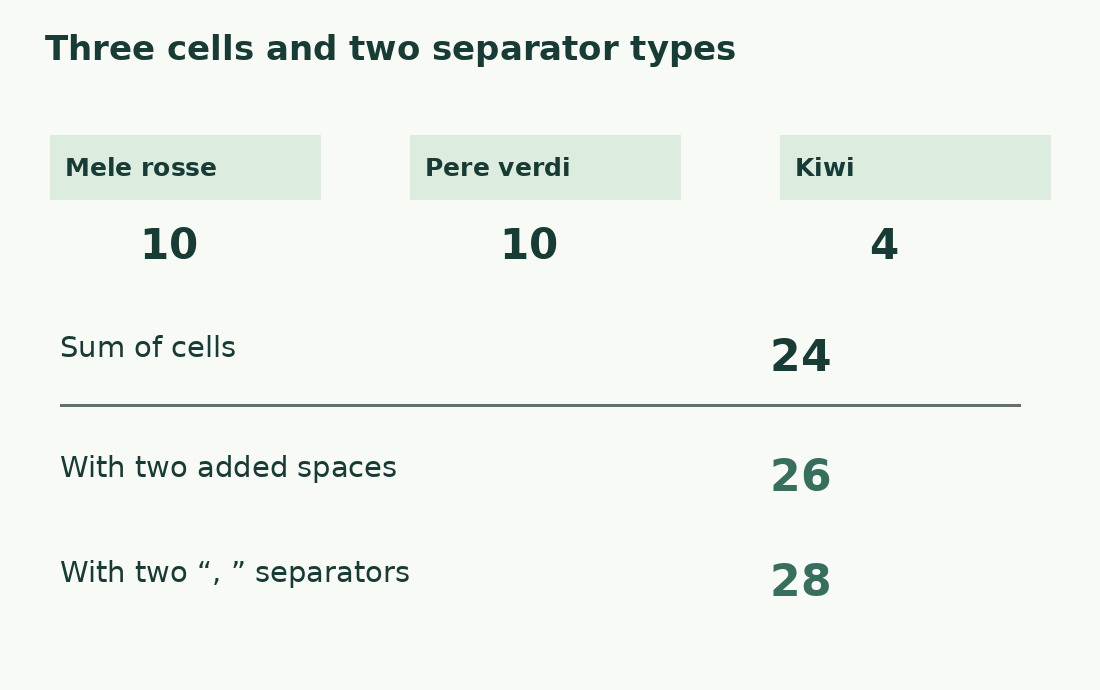
Use the literal Italian samples Mele rosse, Pere verdi and Kiwi: lengths 10, 10 and 4, totaling 24. Joining with two spaces gives 26; joining with two comma-and-space separators gives 28. The added boundaries explain the difference. These simple samples control the arithmetic; they do not establish every Unicode edge case or claim an interactive Numbers test.
Keep cleanup separate from measurement
Leading or trailing spaces make a different string. Preserve the original before cleaning and state the transformation. If spaces count, do not remove them only from the calculation to obtain a smaller number. A SUBSTITUTE-based exclusion must be labelled for its exact target. Inspect unusual imported separators; lower length is not proof that meaning or all required distinctions survived.
Sum rows without losing individual limits
If B2:B20 holds row lengths, =SUM(B2:B20) measures their combined volume. Keep each row’s result for individual field limits: the same total can be distributed into many short fields or one unacceptable long field. Check first and last data rows, exclude the summary and verify helper formulas after additions. Record IDs must remain aligned when the list is reordered.
Prepare the representation to publish
Numbers, dates and codes need an explicit output string. Leading zeros, units or an expanded date may change length. Preserve values needed for numeric calculations while preparing their text separately. Test short, long and missing cases; inspect both content and length. The formula cannot establish that a code identifies the intended item or that a date expresses the intended event.
Revise against the actual limit
Keep allowed maximum and remaining capacity beside the count. Resolve negative remainders by revising whole phrases, preserving negations, quantities and conditions. A total within the limit may still be incomplete. If publication joins cells, count the joined output, not just the components. For individual text use the character counter with the same required unit and inclusions.
Retain the evidence and the right metric
Save sample text, expected lengths, formula, checked range and output version. Re-run samples after changes to imports or formula references. If the requirement is about words, a character total cannot substitute for it. For repetitions, use the Numbers occurrence method instead of treating length as frequency. Communicate only the measure that answers the actual task.
Three cells and their completed outputs
| Item | Length | Explanation |
|---|---|---|
| Mele rosse | 10 | One internal space |
| Pere verdi | 10 | One internal space |
| Kiwi | 4 | No space |
| Cell sum | 24 | No added boundaries |
| Joined with spaces | 26 | Two separators of 1 |
| Joined with comma and space | 28 | Two separators of 2 |
Sources and checks
- Apple: Primary documentation · Documented commands, function definitions and limitations used in this guide; workflow examples are original.
- Apple: Primary documentation · Documented commands, function definitions and limitations used in this guide; workflow examples are original.